Zotero 6 Unleashed: A Monumental Leap Forward in Research and Citation Management

Zotero 6, the latest major release of the widely adopted open-source reference management software, has been officially launched, marking what developers are calling the most significant upgrade in the platform’s history. This comprehensive overhaul introduces a suite of groundbreaking features designed to fundamentally transform how researchers interact with their source materials, with a particular emphasis on a revolutionary approach to handling PDF documents and note-taking. The release signifies Zotero’s continued commitment to empowering scholars and students by streamlining the entire research workflow, from initial discovery to final document production.
The development of Zotero 6 represents a culmination of years of user feedback and iterative development, building upon the foundational strengths of the software that has become indispensable for millions worldwide. Since its inception, Zotero has been lauded for its ability to capture, organize, and cite research sources with ease. However, the integration of a robust, in-application PDF reader and an advanced note editor marks a paradigm shift, aiming to consolidate the research process within a single, powerful application. This integration seeks to eliminate the need for disparate tools and complex workarounds, fostering a more fluid and efficient research experience.
The Power of an Integrated PDF Reader and New Note Editor
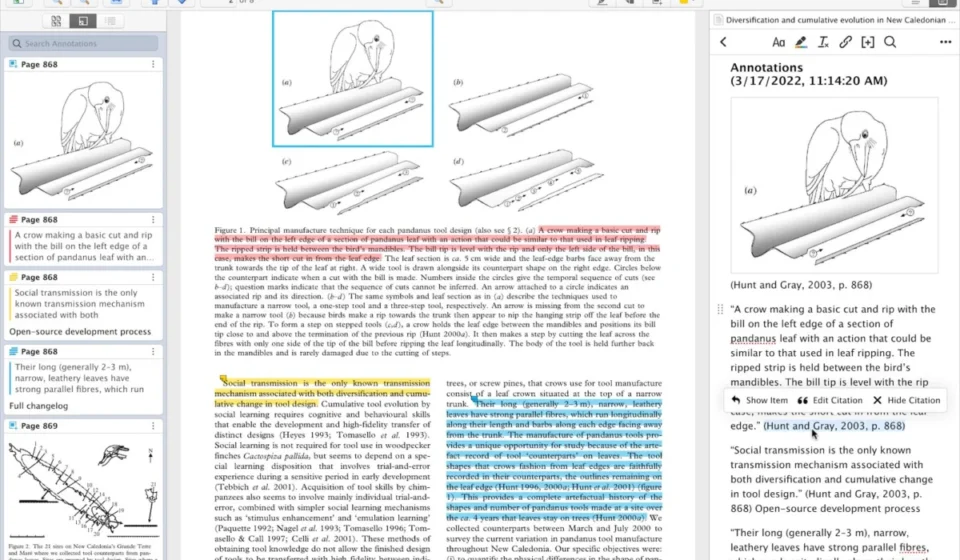
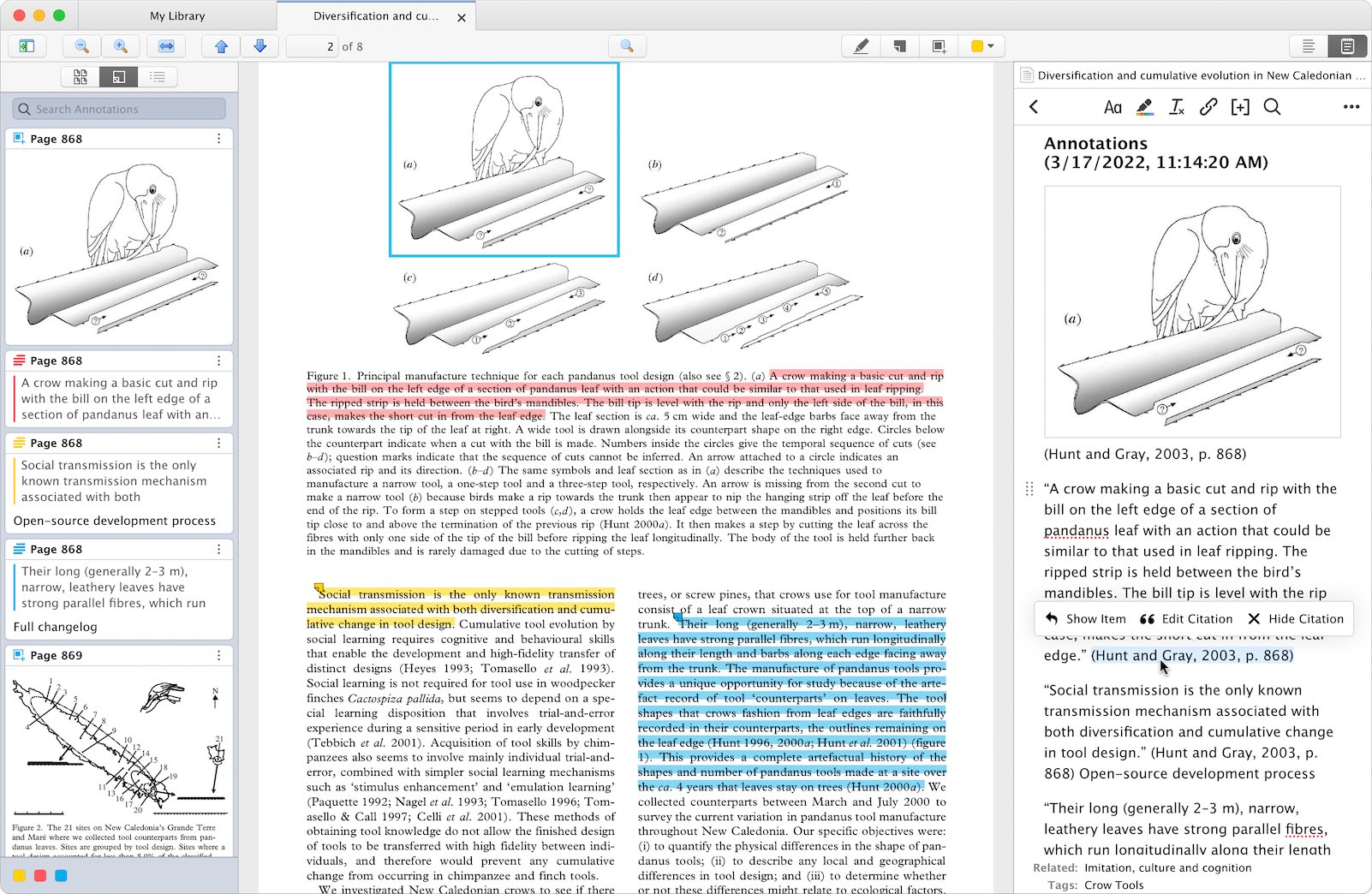
At the heart of Zotero 6’s transformative capabilities lies its entirely new PDF reader. This integrated tool allows users to directly annotate PDF documents within the Zotero application, eliminating the cumbersome process of exporting files to external annotation software and re-importing them. The new reader supports a range of annotation types, including highlighting in multiple colors, adding text notes, and drawing directly on the document, with specific support for ink annotations made with styluses like the Apple Pencil.
Crucially, these annotations are not siloed within individual files. Zotero 6 ensures that all created annotations are seamlessly synced across all user devices. This synchronization is designed to be robust and conflict-free, meaning users can pick up their annotation work on any device without concerns about data loss or the need to manually close files. This feature is particularly impactful for researchers who utilize multiple devices or work in collaborative environments.
The collaborative potential extends to group libraries. Zotero 6 now enables users to create PDF annotations within shared group libraries. This means that multiple members of a research team can collaboratively annotate the same PDF, with changes visible to all in near real-time. This feature is poised to accelerate group projects and foster a more dynamic approach to shared research analysis.
Furthermore, Zotero 6’s integration with its iOS mobile application synchronizes these PDF annotations. Researchers can now highlight and take notes on their iPads or iPhones, and upon returning to their desktop or laptop, these annotations can be effortlessly incorporated into a Zotero note or directly into a word processor document. The application intelligently remembers the last viewed page of a PDF, allowing users to resume their work exactly where they left off, regardless of the device used.
Transforming Annotations into Actionable Insights
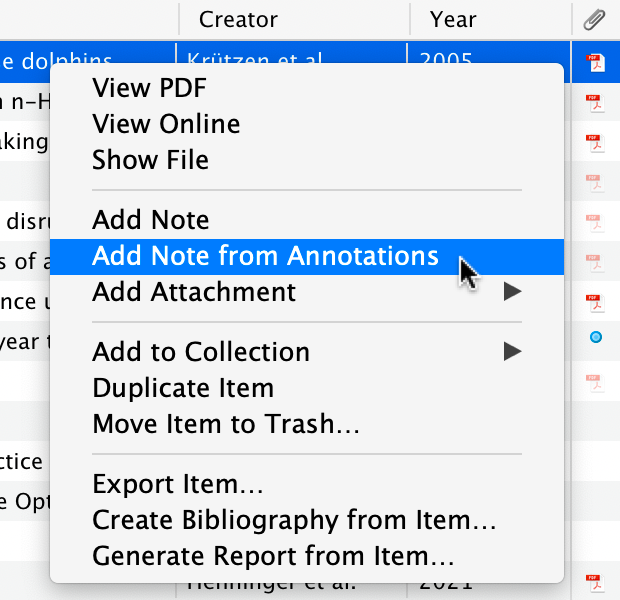
Beyond mere annotation, Zotero 6 introduces a powerful mechanism for converting these annotations into structured notes. Users can now select specific annotations or entire sets of them from a PDF and add them directly to a Zotero note. This is a significant advancement, as these annotations are not simply pasted as plain text. Instead, they retain rich metadata, including direct links back to the original PDF and the specific page from which the annotation was extracted.
This contextual linking is invaluable for academic integrity and efficient research. It allows users to quickly jump back to the original source material to verify context or expand upon an idea. Moreover, when these notes are integrated into word processor documents via Zotero’s plugins, the embedded citation information remains active, automatically contributing to the document’s bibliography. This ensures that all quoted or paraphrased material, even when derived from annotations, is properly attributed.
The customization of how annotations are incorporated into notes is further enhanced by Zotero’s existing note template functionality. This allows users to define the precise format and information included when annotations are added to notes, tailoring the output to specific academic or personal preferences. This feature effectively replaces the functionality previously provided by third-party extensions like ZotFile for extracting PDF annotations into Zotero notes, offering a more streamlined and integrated solution.
Seamless Integration with Word Processors and Enhanced Export Options
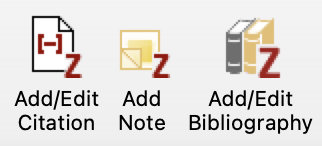
The utility of Zotero 6’s new note-taking capabilities is amplified by its enhanced integration with popular word processors. The Zotero word processor plugins now feature a prominent "Add Note" button, enabling users to insert any Zotero note, including those populated with PDF annotations, directly into their documents. The active citation links within these notes ensure that they are automatically recognized and compiled into the bibliography, further solidifying the end-to-end research workflow.
For researchers working with digital publishing platforms or engaging in collaborative writing in environments that favor plain text formats, Zotero 6 introduces robust Markdown export capabilities for notes. Users can now choose to "Quick Copy" notes with a Markdown + Rich Text option, preserving formatting and links. This allows for the direct transfer of notes, or even individual annotations from the PDF reader, into external editors. The exported Markdown includes intelligent links that point back to the associated Zotero item and the specific PDF page, maintaining crucial context for digital workflows.
The ability to embed images directly within Zotero notes is another significant enhancement. Users can drag and drop images from their computers or the web into notes, and these images will sync across all their Zotero-enabled devices. This feature opens up new possibilities for visual note-taking, allowing researchers to include diagrams, screenshots, or other visual aids directly within their research notes, further enriching their documentation. Image annotations created within the PDF reader can also be seamlessly dragged into notes, generating cited images within the document.
Expanding Functionality and Addressing User Needs
Beyond the headline features, Zotero 6 incorporates a range of improvements designed to refine existing functionalities and address long-standing user requests.
Non-English Spellchecking: Recognizing the global user base of Zotero, the new release introduces support for over 40 dictionaries for spellchecking within Zotero notes. This eliminates the frustrating experience of having correct non-English text flagged as errors, significantly improving the writing experience for international researchers.
Improved Mendeley and Citavi Import: Zotero 6 enhances its import capabilities for users migrating from competing reference managers. The built-in Mendeley importer now successfully imports Mendeley annotations, making them compatible with Zotero 6’s new PDF reader. This is a critical development, particularly in light of recent changes by Elsevier that have encrypted Mendeley databases, making local data extraction more challenging. The new import process can now retrieve data directly from the online Mendeley library. Similarly, importing from Citavi now includes the transfer of Citavi’s PDF annotations, providing a more complete transition for users.
Bundled Safari Extension: For Mac users running macOS Big Sur or later, the Zotero Connector for Safari is now bundled directly with the Zotero application. This simplifies installation and access, allowing users to enable the extension directly from their Safari preferences.
The release of Zotero 6 is the result of a dedicated development cycle, building on the software’s robust open-source foundation. The project’s commitment to user-driven development is evident in the thoughtful integration of features that address real-world research challenges. The timeline leading up to this release has likely involved extensive alpha and beta testing phases, engaging with a community of dedicated users to refine the new functionalities before the public launch.
Broader Impact and Future Implications
The comprehensive enhancements in Zotero 6 position the software as an even more indispensable tool for academic and professional researchers. By deeply integrating PDF annotation and note-taking with citation management, Zotero 6 streamlines the research process to an unprecedented degree. This reduction in friction can lead to increased productivity, allowing researchers to focus more on analysis and synthesis rather than on managing complex workflows.
The collaborative features, particularly within group libraries, are expected to foster more dynamic and efficient teamwork in academic settings. The seamless syncing across devices also caters to the increasingly mobile nature of modern research, enabling scholars to remain productive regardless of their location or the devices at their disposal.

The improved import capabilities for users migrating from Mendeley and Citavi are also significant. As researchers evaluate their software needs, the ability to seamlessly transition existing libraries and annotations can be a deciding factor. Zotero 6’s enhanced import functions make this transition smoother, potentially drawing more users to the open-source platform.
The implications of these advancements extend to educational institutions as well. By providing a powerful, free, and open-source tool that simplifies research, Zotero 6 can lower the barrier to entry for students and researchers, democratizing access to advanced research management capabilities. The emphasis on clear attribution and the ease with which cited material can be managed also supports the development of strong academic integrity practices among students.
For developers and the broader open-source community, Zotero 6’s release underscores the power of collaborative development in creating sophisticated and widely adopted software solutions. The platform’s continued evolution is a testament to the ongoing dedication of its contributors and the vibrant community that supports it.
Accessing Zotero 6
Existing Zotero users can upgrade to version 6 directly within the application by navigating to "Help" and selecting "Check for Updates." For new users, Zotero 6 is available for download from the official Zotero website, continuing its tradition of providing powerful research tools free of charge. This release solidifies Zotero’s position as a leader in the field of reference management, offering a glimpse into the future of integrated research workflows.