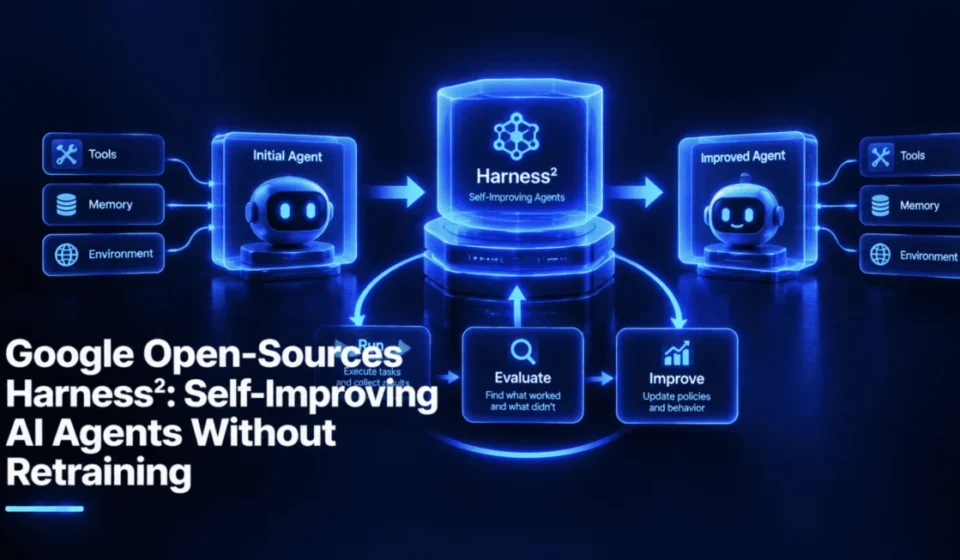
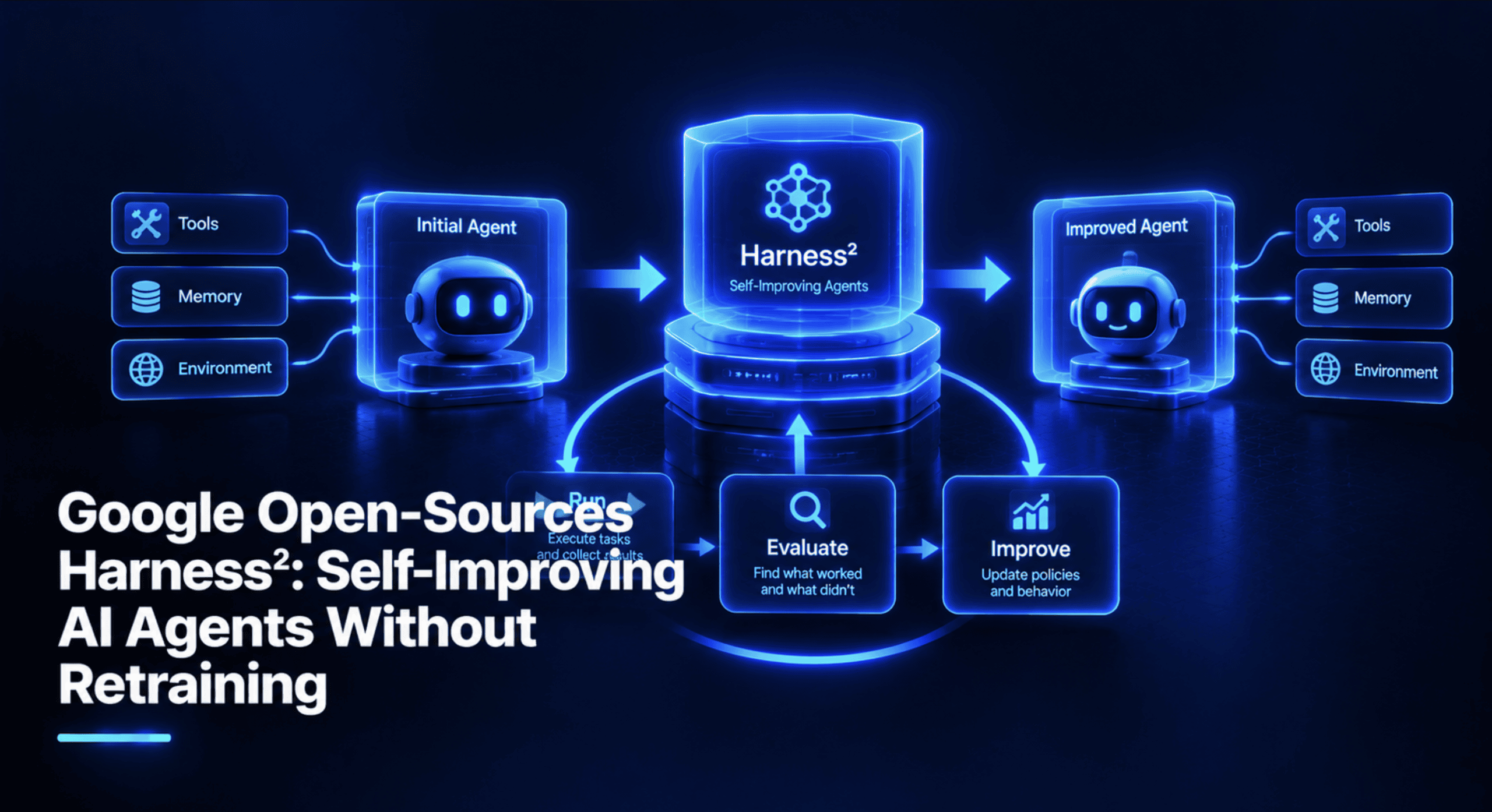
Google Open-Sources Harness²: Self-Improving AI Agents Without Retraining

Google Research has unveiled Harness², a groundbreaking open-source framework designed to empower AI agents to iteratively improve their performance without the need for computationally expensive retraining of the underlying large language models (LLMs). Instead of directly modifying model weights, Harness² focuses on dynamically optimizing the "harness" surrounding the AI, which encompasses its prompts, tool integrations, memory mechanisms, skills, and scripting capabilities. This novel approach allows agents to learn and adapt from their experiences, carrying forward insights to tackle new and unforeseen tasks in complex, open-world environments.
The framework, released under the permissive Apache 2.0 license, is accompanied by a comprehensive research paper titled "Harness²: Recursive Agent Harnessing for an Open World," and a dedicated project website, signaling Google’s commitment to fostering community engagement and further development in the AI agent space. Early discussions on platforms like X (formerly Twitter) indicate significant interest from the AI research and development community.
At its core, Harness² addresses a fundamental challenge in AI agent development: the difficulty of adapting agents to novel situations encountered in real-world applications, often termed "open worlds." Traditional methods for improving AI performance typically involve fine-tuning the model with new data or adjusting its core parameters, processes that are resource-intensive and often inaccessible to users who interact with models via APIs. Harness² offers a paradigm shift by automating the optimization of the agent’s operational environment, making self-improvement more accessible and efficient.
Understanding the Harness² Framework
The concept of a "harness" in Harness² refers to the entire ecosystem that enables an AI model to function as an agent. This includes a spectrum of components that dictate the agent’s behavior and interaction with its environment. These components are:
- System Prompt: The foundational instructions that guide the AI’s initial understanding and response to a task.
- Guardrails: Predefined rules and constraints that govern the agent’s actions, ensuring adherence to ethical guidelines and operational boundaries.
- Memory: Mechanisms for storing and retrieving information across multiple interactions or tasks, enabling the agent to build context and recall past experiences.
- Skills: Specialized, reusable sets of instructions designed for specific types of operations or problem-solving.
- Tool Guidance: Directives on how and when the agent should utilize available external tools or APIs to augment its capabilities.
- Scripts: Auxiliary code that the agent can execute to perform complex computations or data manipulations.
- Subagents: Delegated AI entities that can handle specific sub-tasks, allowing for more sophisticated task decomposition and parallel processing.
- Plugins: Middleware components that can intercept and modify the agent’s behavior within the operational loop, offering granular control over its actions.
Harness² is engineered to dynamically modify these eight components. The first four components – system prompt, guardrails, memory, and skills – primarily shape the AI’s contextual understanding and internal reasoning. The latter four – tool guidance, scripts, subagents, and plugins – define the agent’s interface with external tools and its overall operational flow. By adjusting these elements, Harness² effectively reconfigures the agent’s interaction strategy and problem-solving approach without altering the core intelligence of the underlying model.
The Dual Recursion Mechanism
The "2" in Harness² signifies a sophisticated two-tiered recursive process that underpins its self-improvement capabilities. This dual recursion allows for both immediate task-specific refinement and long-term meta-learning about the improvement process itself.
Level 1: Task-Level Recursion (Propose-Probe-Compose)
This primary loop operates on a per-task basis. The core innovation here is Harness²’s ability to learn from "behavioral contrasts between executions, without ground-truth feedback." This means the agent doesn’t need to be explicitly told the correct answer to a task. Instead, it analyzes the differences in outcomes between two or more executions of the same task with slightly varied harnesses. This is a critical advantage for open-world scenarios where predefined correct answers are often unavailable. The process involves:
- Propose: Generating potential modifications to the current harness components.
- Probe: Executing the task with these proposed changes to observe their impact.
- Compose: Selecting the most effective modifications based on the observed behavioral contrasts.
This iterative refinement allows the agent to incrementally optimize its approach for the specific task at hand, leading to improved performance without direct supervision.
Level 2: Harnessing-Level Recursion
This higher-level loop focuses on meta-learning how to improve harnesses more effectively over time. After each task is completed and a refined harness is adopted, an "experience reflector" component stores the successful harness and "evidence-supported lessons" derived from the task. These lessons are compiled into a persistent "improvement harness." This improvement harness then acts as a guide for the Level 1 recursion in subsequent tasks, informing the proposal of edits and accelerating the learning process across a sequence of tasks. In essence, Level 1 makes the agent better at the current task, while Level 2 makes the framework better at improving agents for future tasks. The system leaves behind detailed files on disk, providing transparency into these learning processes.
Recursion Modes: Parallel vs. Sequential
Harness² offers flexibility in how it utilizes computational resources for the Level 1 recursion through different modes, controlled by a budget parameter k. This budget dictates the extent of exploration and refinement for each task.
- Parallel Mode: Explores multiple harness improvements simultaneously.
- Sequential Mode: Iteratively refines the harness in a step-by-step manner.
The computational cost is directly tied to the budget k. For instance, a budget of k=3 implies a significant number of executor rollouts and improver sessions per task. The LAB benchmark, which comprises over a thousand tasks, highlights the importance of efficient resource management, often necessitating starting with a single task to preview the process.
Benchmark Performance and Gains
Google’s initial testing of Harness² involved evaluating two prominent LLMs, GLM-5 and Gemini 3.5 Flash, across four distinct model-harness configurations on three established benchmarks. The results demonstrated notable improvements even with a minimal single step of refinement (k=1):
- WorkBuddy-Bench: This benchmark assesses performance on a variety of office, web, and coding tasks. Harness² achieved performance gains of up to +11.5 points over base configurations.
- LAB (Legal AI Benchmark): Derived from Harvey’s harvey-labs, this benchmark focuses on legal work. Harness² showed improvements of up to +11.8 percentage points in its partial pass rate.
- JobBench: This benchmark evaluates the agent’s proficiency in professional work tasks. Gains of up to +4.5 points were observed.
It is important to note that these figures represent "best-case" gains, not averages. The LAB benchmark’s metric refers to the "Partial" score, which quantifies the fraction of grading criteria met. The research paper provides more granular per-configuration data, and independent verification of these results will be crucial for wider adoption. The framework’s README indicates that increasing the budget k can lead to further performance enhancements.
The Significance of Harness²
The conventional approach to enhancing AI model capabilities involves extensive retraining, which necessitates access to large datasets, significant computational resources (GPUs), and the ability to modify model weights directly. For many users, particularly those leveraging LLMs through APIs, these requirements are prohibitive. Harness² offers a compelling alternative by encapsulating all improvements within accessible configuration files, such as modified prompts, refined scripts, or new guardrails. This has several key practical advantages:
- Reduced Computational Costs: Eliminates the need for expensive model fine-tuning.
- Accessibility for API Users: Enables self-improvement for models accessed via APIs, democratizing advanced AI adaptation.
- Transparency and Auditability: Improvements are documented in plain files, making them easy to review, version control, and audit.
- Rapid Iteration: Facilitates quicker experimentation and deployment of updated agent behaviors.
Hands-On with the Harness² Demo (No API Key Required)
Google provides a free, interactive demo of Harness² that runs both recursion modes using scripted editors and Python executions. Crucially, this demo requires no model credentials, making it readily accessible for experimentation.
Prerequisites for the Demo:
- A Linux or macOS environment.
- Python 3.11 or 3.12 installed.
- Git installed.
Step 1: Installing uv (Python Package Manager)
The process begins with installing uv, a fast and efficient Python package installer.
curl -LsSf https://astral.sh/uv/install.sh | shThis command downloads and executes an installation script for uv. After installation, open a new terminal window and verify its presence:
uv --versionAlternatively, uv can be installed via pip: pip install uv.
Step 2: Cloning the Harness² Repository
Next, clone the official Harness² GitHub repository:
git clone https://github.com/google-research/harness2.git
cd harness2
All subsequent commands should be executed from the root directory of this cloned repository.
Step 3: Creating and Activating a Virtual Environment
To ensure a clean and isolated development environment, create and activate a virtual environment using uv:
uv venv --python 3.12 .venv
source .venv/bin/activate
The (.venv) indicator in your terminal prompt signifies that the virtual environment is active. This step is essential for any new terminal session used for working with Harness².
Step 4: Installing Harness²
Install the Harness² package in editable mode, along with necessary rendering extras:
uv pip install -e '.[render]'The -e flag allows for direct modifications to the source files. The [render] extra includes openpyxl and python-pptx for handling spreadsheet and presentation outputs. This installation registers several command-line tools for interacting with Harness².
Step 5: Running the Demo
Execute the demo to experience the framework’s capabilities:
harness2-demo --output runs/demo --k 2This command initiates the demo, saving results to the runs/demo directory with a recursion budget of k=2. The demo comprises two accounting tasks, both of which successfully complete.
Step 6: Diagnosing a Bug Fix
The demo harness intentionally contains a bug in its summarize.py script, which incorrectly filters out negative amounts. Harness² identifies and rectifies this issue without explicit instruction.
The original script:
import csv
import sys
from decimal import Decimal

with open(sys.argv[1]) as source:
    amounts = [Decimal(row['amount']) for row in csv.DictReader(source)]
total = sum((amount for amount in amounts if amount > 0), Decimal(0))
print(f'Total: total:.2f')
Running the base script and the corrected version on a sample ledger reveals the difference:
cat runs/demo/sources/ledger-1/ledger.csv
python runs/demo/base/scripts/summarize.py runs/demo/sources/ledger-1/ledger.csv
python runs/demo/library/k2/seq/accounting/harnesses/ledger-1/harness/scripts/summarize.py runs/demo/sources/ledger-1/ledger.csv
Output:
amount
100.25
-20.10
5.00
Total: 105.25
Total: 85.15
The Harness²-corrected script accurately calculates the total by including the negative entry, demonstrating its ability to autonomously resolve functional errors.
Step 7: Examining the Learned Lesson
The system logs the lessons learned during the process. The EXPERIENCE.md file for the first ledger task details the fix:
# ledger-1

- adopted: `c1`  (run `demo-oc-seq2/ledger-1/c1`)
- components: 1 scripts; 62 always-on chars

## Why this was chosen
The signed total matches the source ledger.

## What each edit did
component: scripts/summarize.py
candidates: inv1
change: dropped the positive-only filter from the amount sum
observed: the probe total included the credits the base run omitted
verdict: helped

## Transferable lesson
- **cue**: When a ledger includes credits and debits
- **lesson**: Include both signs when summing in scripts/summarize.py.
- **evidence**: The scripts/summarize.py row -- removing the positive-only filter changed the probe total to include the credits omitted by the base trajectory.
- **confidence**: high for this observed arithmetic contrast
This record explains the rationale behind the edit and formulates a transferable lesson that can be applied to future tasks. The library_entries_before field in demo.json shows that the second task benefited from the lesson learned in the first, indicating the successful transfer of knowledge.
Step 8: Exploring Demo Output
The runs/demo directory contains detailed logs, including:
demo.json: A summary of the demo run.base/: Contains the initial, uncorrected harness components.library/: Stores the learned lessons and refined harnesses organized by recursion mode and task.logs/: Detailed execution logs for debugging.
Running a Real Benchmark on Vertex AI
Executing a full benchmark run, such as the LAB benchmark on Google Cloud’s Vertex AI, involves using actual LLMs as executors, improvers, and judges. This process incurs costs, and the examples provided are typically limited to single tasks for demonstration purposes.
Additional Prerequisites:
- Node.js (version 20+) for the OpenCode executor.
- Google Cloud SDK installed and configured.
- A Google Cloud project with Vertex AI enabled.
- Pandoc and Poppler-utils for document processing.
- Docker (optional, for WorkBuddy-Bench).
Installation of System Utilities:
sudo apt-get update
sudo apt-get install -y git curl unzip ca-certificates pandoc poppler-utils
Step 1: Configuring Environment Variables
Create a .env file in the repository root with your Google Cloud project details and model identifiers:
GOOGLE_CLOUD_PROJECT=your-gcp-project-id
GOOGLE_CLOUD_LOCATION=global
HARNESS2_SOLVER_MODEL=google-vertex/YOUR_GEMINI_MODEL_ID
HARNESS2_IMPROVER_MODEL=google-vertex/YOUR_GEMINI_MODEL_ID
HARNESS2_JUDGE_MODEL=YOUR_GEMINI_MODEL_ID
Replace placeholders with your specific project ID and Vertex AI model IDs.
Step 2: Authenticating with Google Cloud
Authenticate your local environment for accessing Google Cloud services:
gcloud auth application-default loginStep 3: Installing the LAB Benchmark
Prepare the LAB benchmark environment:
harness2-setup labThis command downloads and configures LAB, the OpenCode executor, and associated dependencies.
Step 4: Verifying the Installation
Run a check to confirm that all prerequisites are met:
harness2-check --bench labThis command will flag any missing dependencies or misconfigurations without incurring model costs.
Step 5: Previewing with a Dry Run
Before executing a costly run, use the --dry-run flag to simulate the process:
harness2 --bench lab --k 1 --mode parallel
  --only-domains antitrust-competition --max-tasks 1 --dry-run
This command outlines the tasks to be processed and the configuration without making any API calls.
Step 6: Executing the Refinement Process
Run the actual Harness² refinement loop for a selected task:
harness2 --bench lab --k 1 --mode parallel
  --only-domains antitrust-competition --max-tasks 1
This command initiates the executor, improver, and judge cycles, refining the harness based on observed performance. The process can be resumed by re-running the same command if interrupted.
Step 7: Judging and Reporting
After the refinement, evaluate the performance and generate reports:
harness2-judge --bench lab --k 1 --mode parallel
harness2-report --bench lab --k 1 --mode parallel
To compare against the unimproved baseline, use the --bases flag with the judge command. Results are stored in the runs/lab/ directory. For integrated execution, a script scripts/run_lab.sh is available.
The Future of Self-Improving AI Agents
Harness² heralds a new era of AI agent development, one characterized by continuous, experience-driven improvement rather than periodic, resource-intensive retraining. This approach promises to build vast libraries of learned lessons over time, fostering agents that can adapt and evolve organically. Key areas for future exploration include the transferability of lessons across diverse domains, a comprehensive cost-benefit analysis compared to traditional fine-tuning, and the critical challenge of ensuring the safety and controllability of self-editing AI systems.
In summary, Harness² offers a potent open-source framework for developing self-improving AI agents by dynamically optimizing their surrounding components. It democratizes advanced AI adaptation, making it accessible to a broader range of developers and researchers. The full technical details are available in the research paper on arXiv.
Shittu Olumide is a software engineer and technical writer passionate about leveraging cutting-edge technologies to craft compelling narratives, with a keen eye for detail and a knack for simplifying complex concepts. You can also find Shittu on Twitter.