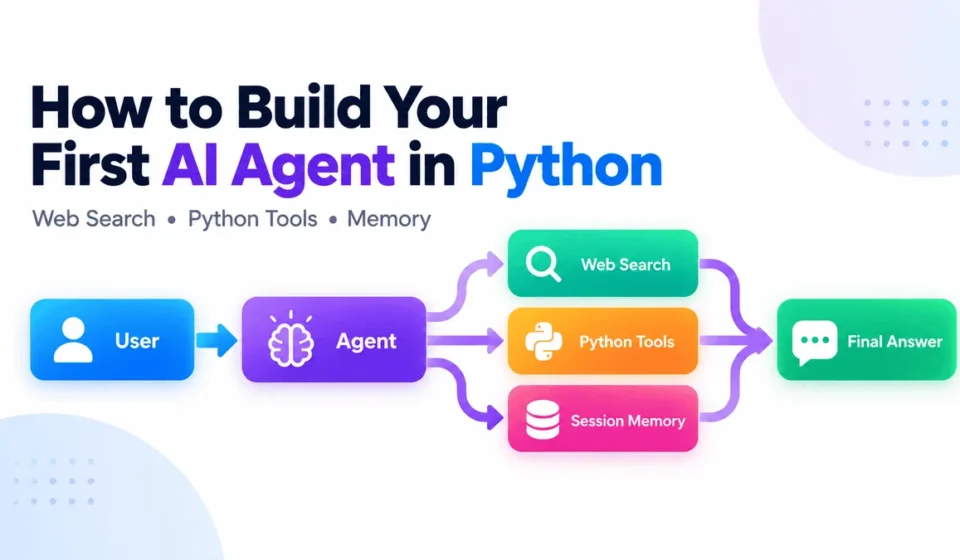
How to Build Your First AI Agent in Python with the OpenAI Agents SDK

The landscape of artificial intelligence development is rapidly evolving, and with it, the tools available to developers are becoming increasingly sophisticated and accessible. Building an AI agent, once a complex undertaking requiring intricate custom logic for tool integration and conversational memory, is now significantly streamlined. The advent of the OpenAI Agents SDK has democratized the creation of intelligent agents, allowing developers to craft applications that can interact with external tools, maintain contextual awareness across conversations, and execute multi-step workflows with unprecedented ease. This tutorial delves into the practical application of this SDK, guiding you through the construction of a robust research agent capable of performing web searches, executing custom Python functions, remembering past interactions, and intelligently deciding which capability to employ at any given moment.
Understanding the Core of an AI Agent
At its heart, a standard Large Language Model (LLM) application operates on a straightforward input-output model: a prompt is fed to the model, which then generates a response and concludes its task. This can be visualized as:
Prompt → Model → Response
However, an AI agent introduces a crucial layer of complexity and capability by incorporating tools and an execution loop. This transforms the interaction flow into a more dynamic process:
User → Agent → Tool (if needed) → Agent → Final Response
Instead of solely generating textual output, an agent possesses the ability to analyze a request and determine if an external action is necessary. This could involve querying the web for up-to-date information, executing a specific Python function to perform a calculation, or retrieving relevant data from a memory store. The OpenAI Agents SDK automates much of this intricate process. Its Runner component acts as an intelligent orchestrator, managing the communication between the agent and its tools. It dispatches requests to the LLM, executes any identified tool calls, feeds the tool’s output back to the agent for further processing, and iterates this cycle until the agent synthesizes a definitive response. This inherent capacity for reasoning, tool utilization, and multi-step task execution is the defining characteristic that distinguishes an AI agent from a conventional LLM application.
Setting Up Your Development Environment
To embark on building your AI agent, a clean and organized Python environment is essential. The following steps outline the process of setting up your project and installing the necessary dependencies.
Begin by creating a dedicated directory for your project. The uv package manager, known for its speed and efficiency, can be utilized for project initialization and dependency management.
mkdir first-ai-agent
cd first-ai-agent
uv init
uv add openai-agents
Alternatively, if you prefer using pip, the standard Python package installer, the command is as follows:
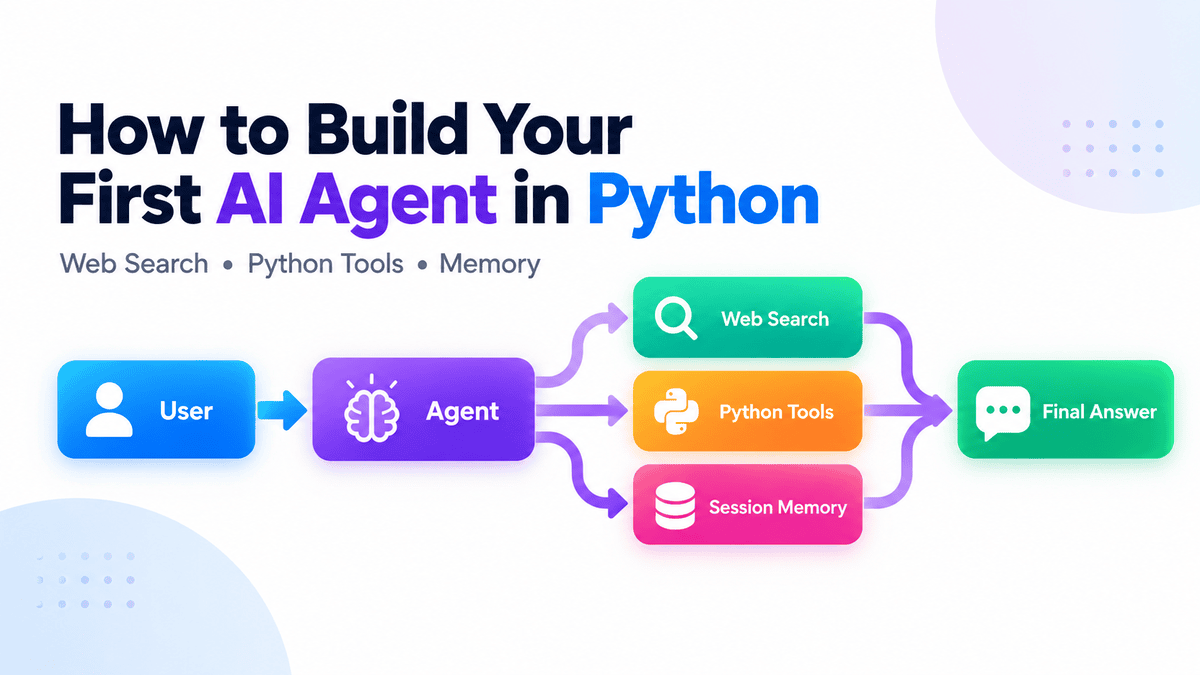
pip install openai-agentsCrucially, your OpenAI API key must be configured as an environment variable. This key serves as your authentication credential for accessing OpenAI’s services.
export OPENAI_API_KEY="your-api-key"For users operating on Windows, the export command functions within Git Bash. In Command Prompt or PowerShell, you can set the environment variable persistently using the setx command:
setx OPENAI_API_KEY "your-api-key"With the environment prepared, transforming a few lines of Python code into an agent that intelligently accesses real-time web information becomes a tangible reality.
Developing a Foundational Research Agent
Create a file named main.py within your project directory and populate it with the following Python code. This initial script lays the groundwork for a research assistant that can leverage web search capabilities.
from agents import Agent, Runner, WebSearchTool

agent = Agent(
    name="Research Assistant",
    instructions=(
        "You are a concise research assistant. "
        "Use web search when current information is required."
    ),
    tools=[WebSearchTool()],
)

result = Runner.run_sync(
    agent,
    "What are the latest developments in Python?"
)

print(result.final_output)
To execute this script, navigate to your project directory in the terminal and run:
uv run main.pyThe output will provide a snapshot of recent developments in Python, demonstrating the agent’s ability to fetch and synthesize current information.
As of **September 14, 2026**, the major Python developments are:
- **Python 3.14 is the latest stable feature series**; the newest maintenance
  release is **3.14.7**. It adds officially supported free-threaded builds,
  deferred annotation evaluation, template string literals (`t""`), ...
- **Python 3.15 is nearing release**: the final release is scheduled for
  **October 1, 2026**. ...

For new projects, **Python 3.14.7** is currently the safest default.
The WebSearchTool() is a pre-built tool provided by OpenAI. This integration allows the LLM to autonomously decide when real-time data is necessary, eliminating the need for manual API calls to search engines. As evidenced by the output, the agent correctly identified Python 3.14.7 as the current stable release, showcasing the effectiveness of this integrated tool.
Integrating Custom Python Functionality
While web search is a powerful capability, the true potential of AI agents is unlocked when they can interact with your own custom code. This allows for tailored operations and complex data processing specific to your application’s needs.
To demonstrate this, let’s introduce a calculation tool. This involves defining a Python function and decorating it with @tool from the agents.decorators module. The decorator automatically registers the function as a tool that the agent can utilize.
from agents.decorators import tool

@tool
def calculate_total(
    price: float,
    quantity: int
) -> float:
    """Calculate the total cost of an order."""
    return price * quantity
The docstring provided for the calculate_total function is critical. It serves as the descriptive text that the LLM uses to understand the tool’s purpose and when to invoke it. Clear and concise docstrings are paramount for enabling the model to accurately interpret and utilize your custom tools.
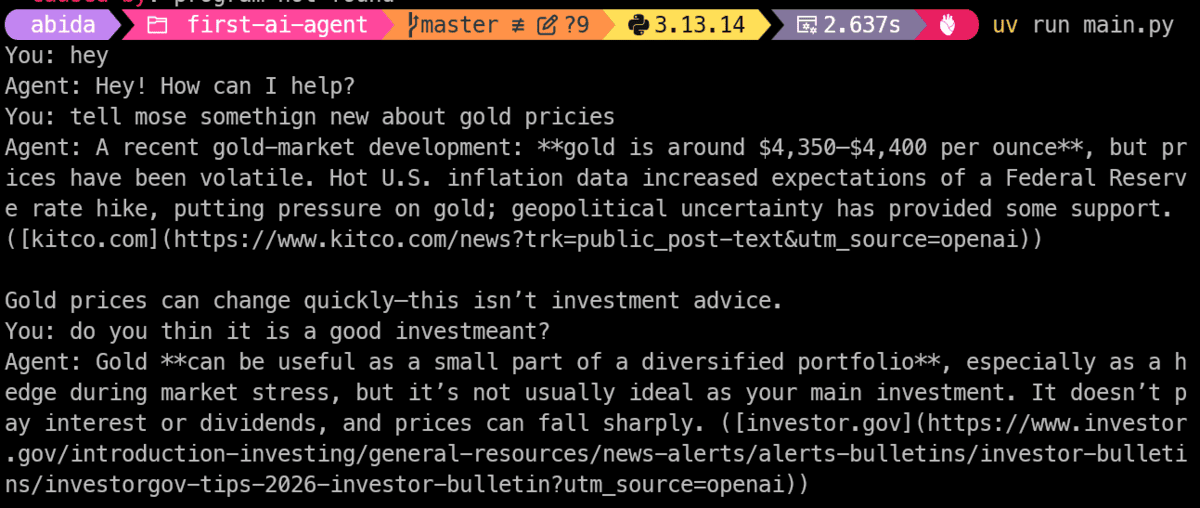
Next, this custom tool needs to be made available to the agent. This is achieved by including it in the tools list when initializing the Agent object.
agent = Agent(
    name="Assistant",
    instructions="Help with research and calculations.",
    tools=[
        WebSearchTool(),
        calculate_total,
    ],
)
Now, let’s test the agent’s ability to perform calculations by posing a query that requires both research and computation.
result = Runner.run_sync(
    agent,
    "I need 14 GPUs costing $2.49 each per hour. "
    "What will they cost per hour?"
)

print(result.final_output)
The agent’s response will be:
14 GPUs x $2.49/hour = **$34.86 per hour**.The OpenAI Agents SDK intelligently handles the translation of the natural language request into a structured tool call. It infers the price and quantity from the user’s prompt and passes them as arguments to the calculate_total function. The SDK automatically generates the necessary tool schema, including argument names, type hints, and the docstring, abstracting away the complexities of manual schema definition and tool-calling loop implementation.
Enhancing Interaction with Conversation Memory
For an AI agent to be truly useful in conversational scenarios, it must retain context from previous interactions. Without memory, each new message would be treated as an isolated event, leading to repetitive questions and a disjointed user experience. The OpenAI Agents SDK offers robust solutions for managing conversation history.
To implement conversational memory, a session object is introduced. The SQLiteSession class provides a straightforward way to persist conversation history using a local SQLite database. This is particularly beneficial for development and smaller-scale applications, as it allows for history to be maintained even after the program is restarted.
from agents import SQLiteSession

session = SQLiteSession(
    "user_1",
    "conversations.db"
)
This session object is then passed to the Runner.run_sync() method for each interaction.
while True:
    message = input("You: ")

    if message.lower() in "exit", "quit":
        break

    result = Runner.run_sync(
        agent,
        message,
        session=session,
    )

    print("Agent:", result.final_output)
Consider the following conversational exchange:
- You: What are the latest developments in Python?
- Agent: (Responds with information about Python 3.14.7, as seen previously)
- You: What is the latest stable version?
In this second interaction, because the session object is used, the agent has access to the prior conversation. It can therefore correctly infer that "the latest stable version" refers to the latest stable version of Python discussed in the previous turn, rather than requiring the user to restate the context.
The use of a file-backed SQLite database ensures that the conversation history is persistent. If you close the application and restart it, the agent will still remember the previous interactions. For more demanding applications requiring higher scalability or different storage solutions, the SDK also supports session backends for systems like Redis, SQLAlchemy, and MongoDB, offering flexibility to adapt to diverse architectural needs.
The Integrated Architecture of a Complete Agent
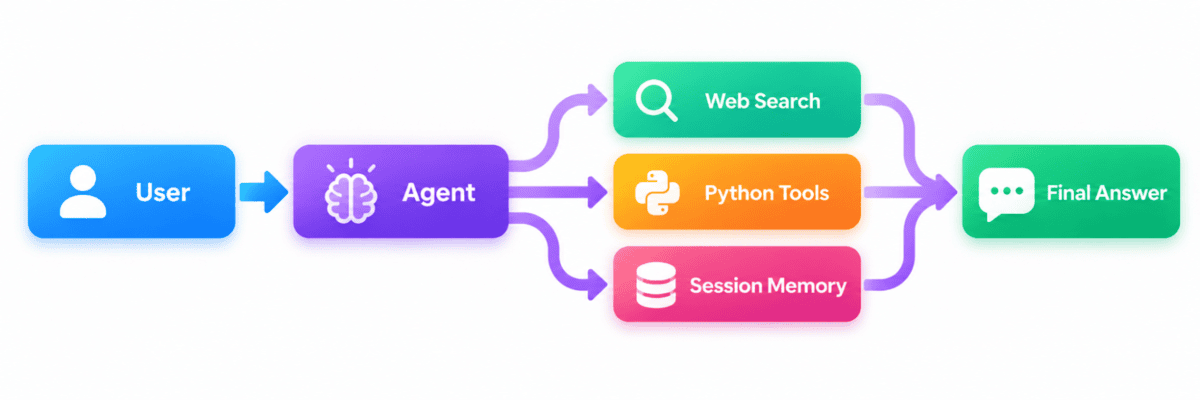
With all the components in place—the agent’s intelligence, the execution runner, the tools, and the conversational memory—we can assemble a complete and functional AI agent. The synergy of these elements orchestrates a sophisticated interaction loop.
The agent’s core logic dictates the actions to be taken. The Runner acts as the central command, managing the execution flow of the agent and any invoked tools. The session ensures that the agent’s understanding evolves with the ongoing conversation, providing continuity and context.
Here is the consolidated main.py script that incorporates all the functionalities discussed:
import os
import sys

from agents import Agent, Runner, SQLiteSession, WebSearchTool
from agents.decorators import tool

@tool
def calculate_total(
    price: float,
    quantity: int
) -> float:
    """Calculate the total cost of an order."""
    return price * quantity

def main() -> None:
    if not os.environ.get("OPENAI_API_KEY"):
        sys.exit(
            "Error: set the OPENAI_API_KEY environment variable first."
        )

    agent = Agent(
        name="Assistant",
        instructions="""
        Help the user with research and calculations.
        Use the available tools when necessary.
        """,
        tools=[
            WebSearchTool(),
            calculate_total,
        ],
    )

    session = SQLiteSession(
        "user_1",
        "conversations.db"
    )

    try:
        while True:
            try:
                message = input("You: ")
            except (EOFError, KeyboardInterrupt):
                print()
                break

            command = message.strip().lower()

            if command in "exit", "quit":
                break

            if not command:
                continue

            try:
                result = Runner.run_sync(
                    agent,
                    message,
                    session=session,
                )
            except Exception as exc:
                print(
                    f"Agent error "
                    f"(type(exc).__name__): exc"
                )
                continue

            print("Agent:", result.final_output)

    finally:
        session.close()

if __name__ == "__main__":
    main()
This comprehensive script provides a foundation for a conversational agent that boasts web search capabilities, integrates custom Python tools, maintains persistent memory, incorporates basic error handling, and offers a continuous chat interface.
A significant advantage of the OpenAI Agents SDK is its default enablement of tracing. This feature is invaluable for debugging and understanding complex agent workflows. Traces allow developers to meticulously inspect every step of an agent’s execution, including LLM calls, tool invocations, and handoffs between different components.
These detailed traces can be reviewed within the OpenAI dashboard. By examining how the agent arrived at its conclusions, which tools it selected, and where any potential issues arose, developers can gain deep insights into the agent’s decision-making process. This capability is particularly useful for refining tool-calling behavior and optimizing agent instructions for enhanced performance and reliability.
Broader Implications and Future Development
The process of building an AI agent transcends the creation of a mere autonomous system; it empowers a language model with the capacity to perform meaningful actions in the real world. The journey from a basic agent to a sophisticated application involves a phased approach, starting with fundamental capabilities and gradually incorporating more advanced features as needed.
In this guide, we have laid the groundwork by establishing a simple agent, integrating web search, connecting a custom Python tool, implementing persistent conversation memory, and culminating in a fully realized application complete with tracing and error management. This foundational understanding is sufficient to construct remarkably capable workflows.
From this point, the development path can branch out to include the integration of external APIs, the deployment of Machine Communication Protocol (MCP) servers for inter-agent communication, the implementation of guardrails to ensure safe and controlled behavior, the management of handoffs between different agents or workflows, the addition of more specialized tools, and the creation of additional, complementary agents.
The underlying development paradigm remains consistent: equip the agent with the appropriate tools, grant it the autonomy to decide when and how to use them, and allow the Agents SDK to manage the execution loop. The principle of starting small, ensuring one workflow is robust and useful, and then progressively introducing complexity only when genuine requirements emerge, is key to efficient and effective AI agent development. This modular and iterative approach fosters a more manageable and adaptable development process, allowing for continuous improvement and expansion of the agent’s capabilities.