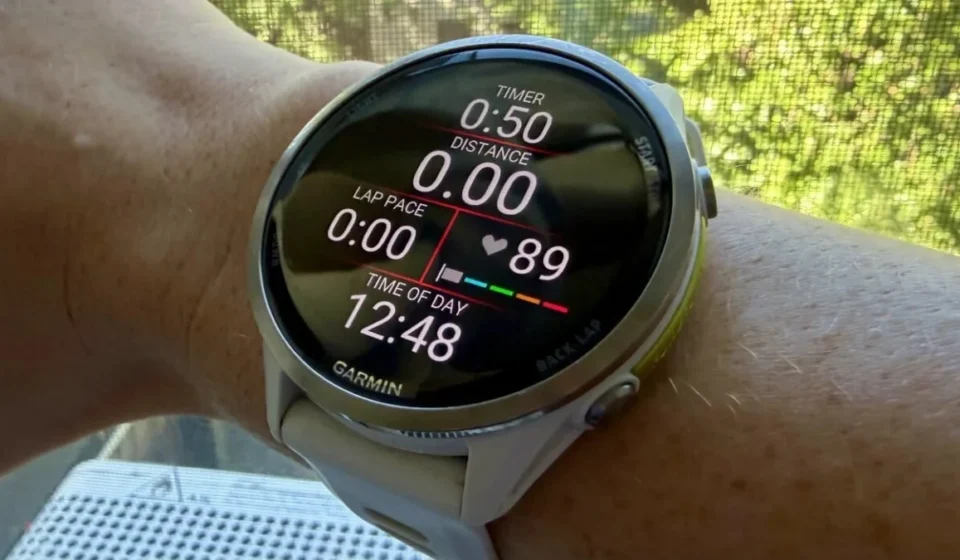
Mastering Your Garmin: The Essential Guide to Accurately Setting and Resetting Your Heart Rate Zones for Optimal Training

Zone 2 training, characterized by a low-intensity, conversational-pace cardio, has surged in popularity within the fitness community. Proponents claim it’s the key to unlocking enhanced aerobic capacity, improving race times, and even contributing to longevity. While the extent of its hype may be debated, the broader principle of mastering heart rate training remains invaluable. For users of Garmin watches, understanding and accurately calibrating heart rate zones is paramount to ensuring that every workout yields the desired physiological response. This comprehensive guide will delve into why and how to reset your Garmin’s heart rate zones, offering a detailed roadmap to optimize your training efficacy.
The Foundation of Heart Rate Training: Understanding Zones
Heart rate zones are physiological ranges that correspond to different intensities of exercise. These zones are typically defined as percentages of an individual’s maximum heart rate (MHR) or heart rate reserve (HRR), or based on their lactate threshold. Each zone elicits specific metabolic and physiological adaptations.
- Zone 1 (Very Light): Typically 50-60% of MHR. This zone is for recovery and very light activity, where breathing is easy and conversation is effortless.
- Zone 2 (Light): Typically 60-70% of MHR. This is the "aerobic" zone, crucial for building endurance. You can talk in full sentences but may feel slightly breathless. This is the zone often associated with the recent surge in popularity for "Zone 2 training."
- Zone 3 (Moderate): Typically 70-80% of MHR. This is the "tempo" zone, where you can still speak in short sentences but will experience more noticeable exertion. It improves aerobic fitness and lactate clearance.
- Zone 4 (Hard): Typically 80-90% of MHR. This is the "threshold" zone, where speaking is difficult. It pushes your lactate threshold higher and improves speed and power.
- Zone 5 (Maximum): Typically 90-100% of MHR. This zone involves maximal effort and is unsustainable for long periods. It’s used for very short, high-intensity intervals to improve peak power and VO2 max.
How Garmin Determines Your Heart Rate Zones
When you first set up your Garmin device, it typically prompts you for personal data such as age, weight, and gender. Based on this information, it often employs a default formula, commonly the widely cited "220 minus age" equation, to estimate your maximum heart rate. From this estimated MHR, it then calculates your heart rate zones.
However, this age-based estimation is a significant oversimplification. Maximum heart rates are highly individual and can vary considerably among people of the same age. Factors such as genetics, fitness level, and even daily fluctuations can influence an individual’s true maximum heart rate.
The issue is compounded by the fact that there isn’t one universally agreed-upon system for defining heart rate zones. Different sports scientists and organizations may use slightly different formulas or percentages. If your Garmin watch underestimates your maximum heart rate, all your calculated zones will be shifted downwards. Consequently, what your watch designates as "Zone 2" might actually be a Zone 1 effort for you, offering minimal training stimulus. Conversely, if your MHR is underestimated, your "easy" Zone 2 runs might inadvertently push you into a more strenuous effort, potentially leading to overtraining or hindering recovery.
Garmin offers several methods for setting your heart rate zones within its ecosystem:
- Based on Max Heart Rate: This is the most common method, where zones are calculated as a percentage of your estimated or manually entered maximum heart rate.
- Based on Heart Rate Reserve (HRR): This method subtracts your resting heart rate (RHR) from your MHR to determine your HRR. Zones are then calculated as a percentage of this reserve, plus your RHR. This method is often considered more accurate as it accounts for your resting state.
- Based on Lactate Threshold: This method uses your lactate threshold heart rate (LTHR) to define zones. LTHR is the heart rate at which lactate begins to accumulate in your blood faster than it can be cleared. Training at or near this threshold is crucial for improving endurance performance.
The Evolution of Lactate Threshold Detection on Garmin Devices
Historically, obtaining an accurate lactate threshold estimate from a Garmin device often required a compatible chest strap and a structured, demanding guided test. This typically involved a strenuous run designed to push your body to its limits and allow the watch to calculate your LTHR.
More recent Garmin models, however, have introduced an innovative automatic lactate threshold detection feature. This advanced capability leverages the optical heart rate sensor on the wrist, eliminating the need for a chest strap or a dedicated, high-intensity test. The watch estimates your LTHR automatically during regular outdoor runs. This feature is generally enabled by default and requires a baseline VO2 max estimate and at least one recorded outdoor run or trail run with accurate heart rate data.
While this automatic detection offers a convenient way to keep your LTHR up-to-date, some users may prefer a more controlled approach. For those who wish to bypass the algorithm or ensure maximum precision, the option to manually enter your lactate threshold heart rate in the heart rate zone settings remains available. It’s important to consult your specific Garmin model’s documentation, as the availability and implementation of this feature can vary.
Why Regular Resetting of Your Garmin Heart Rate Zones is Crucial
The physiological metrics that underpin your heart rate zones are not static; they evolve over time due to various factors:
- Improved Fitness: As your cardiovascular fitness increases, your heart becomes more efficient. This means your resting heart rate may decrease, and your maximum heart rate might change. Your body can sustain higher workloads at lower heart rates. For instance, a runner who improves their VO2 max from 40 ml/kg/min to 50 ml/kg/min will likely experience a shift in their perceived exertion at a given heart rate. What was once a hard effort might now feel moderate.
- Aging: While the "220 minus age" formula attempts to account for age, the natural decline in maximum heart rate with age can still impact zone accuracy if not regularly reassessed.
- Illness or Injury: Periods of illness or injury can temporarily or permanently affect your cardiovascular system, leading to changes in heart rate response during exercise.
- Changes in Training Load: Significant increases or decreases in training volume and intensity can alter your body’s response to exercise, necessitating an update to your heart rate zones. For example, a period of intense training followed by a deload week will likely result in a different heart rate response.
- Environmental Factors: Extreme heat, humidity, or altitude can elevate your heart rate during exercise, even at the same perceived exertion. While not directly altering your intrinsic zones, understanding these influences is part of accurate training.
If your heart rate zones are not accurately reflecting your current physiological state, the consequences can be significant for your training:
- Underestimating Training Intensity: If your zones are set too high, your "easy" runs might be providing insufficient aerobic stimulus. You might be aiming for Zone 2 but consistently performing in Zone 1, missing out on crucial endurance-building adaptations. A study published in the Journal of Strength and Conditioning Research found that personalized heart rate zones, derived from individual testing, led to more accurate training intensity distribution compared to generic formulas.
- Overestimating Training Intensity: Conversely, if your zones are set too low, your "hard" workouts might not be challenging enough to drive significant performance improvements, or worse, your easy runs might be pushing you into the "gray zone" – an intensity that is too hard for effective recovery but too easy to elicit substantial training gains. This can lead to accumulated fatigue without the corresponding physiological adaptations.
- Skewed Training Load and Recovery Metrics: Garmin’s advanced metrics, such as Training Status, Recovery Time, and Training Load, rely heavily on accurate heart rate data. Inaccurate zones can lead to flawed assessments of your training load, potentially recommending too much or too little recovery, and misrepresenting your overall fitness progression. For example, if your hard intervals are consistently showing up as "moderate" in your Garmin data due to incorrect zones, your reported training load will be lower than it actually is, potentially leading to overtraining in subsequent weeks.
Practical Steps to Reset Your Garmin Heart Rate Zones
Fortunately, recalibrating your Garmin heart rate zones is a relatively straightforward process that can significantly enhance the accuracy and effectiveness of your training. This process should ideally be performed periodically, at least every few months, or whenever you notice significant changes in your fitness or perceive a mismatch between your effort and your watch’s readings.
Step 1: Determine Your Preferred Zone Calculation Method

The first crucial decision is to choose the method for calculating your heart rate zones. While Max Heart Rate is common, Heart Rate Reserve and Lactate Threshold often provide a more nuanced and accurate picture.
-
Max Heart Rate: If you opt for this method, you need to determine your actual maximum heart rate.
- Informal Method: During a very hard effort, such as the final sprint of a race or a strenuous hill climb, note the highest heart rate your watch records. The key is to sustain a near-maximal effort for a period to allow the sensor to capture a reliable peak.
- Formal Max-Effort Protocol: If you are healthy and have medical clearance, a structured max-effort test can be performed. This typically involves a warm-up, followed by several short, all-out bursts of high-intensity exercise with recovery periods, culminating in a sustained near-maximal effort. Consult your doctor before attempting such tests.
- Using a Chest Strap: For the most reliable readings during high-intensity efforts, a chest strap heart rate monitor is recommended over wrist-based optical sensors, which can sometimes experience spikes or inaccuracies during intense activity.
-
Heart Rate Reserve (HRR): To use this method, you need both your MHR and your Resting Heart Rate (RHR).
- Resting Heart Rate: Track your RHR in the morning before getting out of bed, ideally over several days, and take an average. Garmin Connect often displays this automatically.
- Calculation: HRR = MHR – RHR. Zones are then calculated as a percentage of HRR, added to your RHR. For example, Zone 2 might be (HRR 0.60) + RHR to (HRR 0.70) + RHR.
-
Lactate Threshold: This is often the most accurate method for endurance athletes.
- Automatic Detection: As mentioned, newer Garmin watches can estimate LTHR automatically from outdoor runs. Ensure this feature is enabled and that you have sufficient data for the watch to make a reliable estimate.
- Manual Entry: If you have a known LTHR from a previous lab test or a reliable field test, you can manually input this value.
- Field Test: Some protocols involve performing a sustained hard effort (e.g., a 30-minute time trial run) and noting your average heart rate during the last 20 minutes. This can serve as an estimate of your LTHR.
Step 2: Update Your Resting Heart Rate (if applicable)
If you are using the Heart Rate Reserve method, ensure your resting heart rate is up-to-date. Most Garmin devices automatically track and display your resting heart rate in Garmin Connect. Periodically review this number and update it in your user profile if there’s a significant or consistent change.
Step 3: Access and Modify Heart Rate Zone Settings
You can adjust your heart rate zone settings either directly on your Garmin watch or through the Garmin Connect app/website.
- On the Watch: Navigate to your watch’s settings menu. Look for options like "User Profile," "Physiological Metrics," or "Heart Rate Zones." Here, you can typically set your zones manually or choose the calculation method.
- Garmin Connect App/Website: Open Garmin Connect, go to your user profile (usually accessible via an icon or menu), and find the "Device Settings" or "User Settings" section. Within this, locate "Heart Rate Zones" or "Physiological Metrics" to make your adjustments.
In these settings, you will be able to:
- Select Calculation Method: Choose between Max Heart Rate, Heart Rate Reserve, or Lactate Threshold.
- Enter Key Values: Input your MHR, RHR, or LTHR as required by your chosen method.
- Adjust Zone Percentages: If you are manually setting zones, you can input the exact heart rate ranges for each zone. Garmin provides default percentages for each method, but you can customize them if you have specific training protocols in mind.
- Set Different Zones for Different Sports: For advanced users, Garmin allows you to set sport-specific heart rate zones. For example, cycling might have slightly different zones than running due to variations in muscle engagement and physiological response.
Step 4: Test and Validate Your New Zones
Once you have updated your heart rate zones, it’s crucial to test their accuracy in practice.
- Perceived Exertion Check: Go for an easy run or ride at what your watch now designates as Zone 2. Can you comfortably hold a full conversation? Does the effort feel sustainable for an extended period? If it feels too easy, your zones might still be set too high. If it feels surprisingly difficult, they might be too low.
- Listen to Your Body: Pay attention to your body’s signals. If your "easy" runs consistently leave you feeling drained, or your hard workouts don’t feel challenging enough, it’s a sign that your zones may need further adjustment.
- Review Workout Data: After a few workouts, review the heart rate data in Garmin Connect. Are you spending the majority of your time in the intended zones? Does the heart rate pattern align with your perceived exertion?
Broader Implications for Training and Performance
Accurately calibrated heart rate zones are not just about ticking boxes; they are fundamental to optimizing your training and unlocking your full athletic potential.
- Enhanced Training Specificity: By training within the correct zones, you ensure that each workout is tailored to elicit the specific physiological adaptations you are seeking. This means more effective aerobic base building, improved lactate threshold, and more potent interval training.
- Optimized Recovery: Correctly identifying your easy and recovery zones prevents you from doing too much on days when rest and recovery are paramount. This reduces the risk of overtraining, burnout, and injury, allowing your body to adapt and grow stronger.
- Data-Driven Progress Tracking: With accurate zones, Garmin’s training metrics become more reliable. Your Training Status will more accurately reflect your readiness to train, your Recovery Time suggestions will be more appropriate, and your Training Load will be a better indicator of the cumulative stress on your body. This allows for more informed decisions about training progression and rest.
- Motivation and Consistency: When you can clearly see that your efforts are aligning with your training goals through accurate zone data, it can be a significant motivator. Understanding that a "hard" workout is indeed hard, and an "easy" run is truly easy, reinforces the purpose of each session and fosters greater consistency in training.
The Bottom Line
Whether you are a seasoned marathoner aiming to shave minutes off your personal best, a recreational runner seeking to improve your cardiovascular health, or a cyclist looking to conquer challenging climbs, the principle remains the same: your training tools should provide accurate, actionable data. Garmin offers a sophisticated ecosystem for fitness tracking, and at its core lies the accurate definition of heart rate zones.
Taking a few minutes to understand your chosen method, verify your key physiological metrics, and update your settings can transform your Garmin watch from a passive tracker into an active partner in your fitness journey. By investing this small amount of time, you empower yourself to train smarter, recover more effectively, and ultimately, achieve your performance goals with greater confidence and precision. The subtle art of training by feel, augmented by reliable technology, is the most powerful path to lasting athletic improvement.