Zotero 7 Ushers in a New Era of Research Management with a Groundbreaking Redesign and Enhanced Functionality

Zotero, the widely-used, open-source reference management software, has officially launched Zotero 7, marking its most significant update in its 18-year history. This release represents a substantial leap forward in the application’s design, performance, and core functionalities, aiming to provide researchers and academics with a more streamlined and powerful tool for managing their scholarly work. The announcement, made by the Zotero team, highlights a comprehensive overhaul that touches nearly every aspect of the user experience.
A Comprehensive Redesign for Enhanced Usability
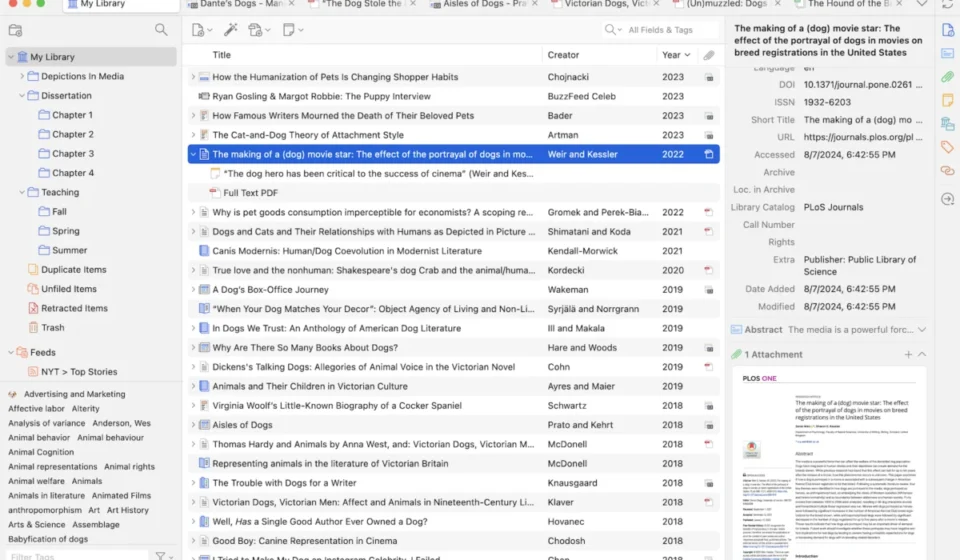
At the forefront of Zotero 7’s advancements is a completely reimagined user interface. The developers have strived to balance a modern aesthetic with the familiar layout that long-time Zotero users have come to appreciate. This dual approach ensures that the learning curve for existing users is minimized, while simultaneously attracting new users with a visually appealing and intuitive design.
A pivotal change is evident in the item pane, the central hub for viewing and editing bibliographic information. The previous horizontal tab system (Info, Tags, Notes, etc.) has been replaced by a more dynamic structure featuring collapsible vertical sections and a dedicated side navigation bar. This redesign facilitates quicker access to specific data fields and allows for the integration of more information directly within the item pane without compromising its usability. Furthermore, this new architecture is designed to be extensible, enabling plugins to seamlessly introduce their own custom sections, offering bespoke information or actions tailored to specific research workflows.
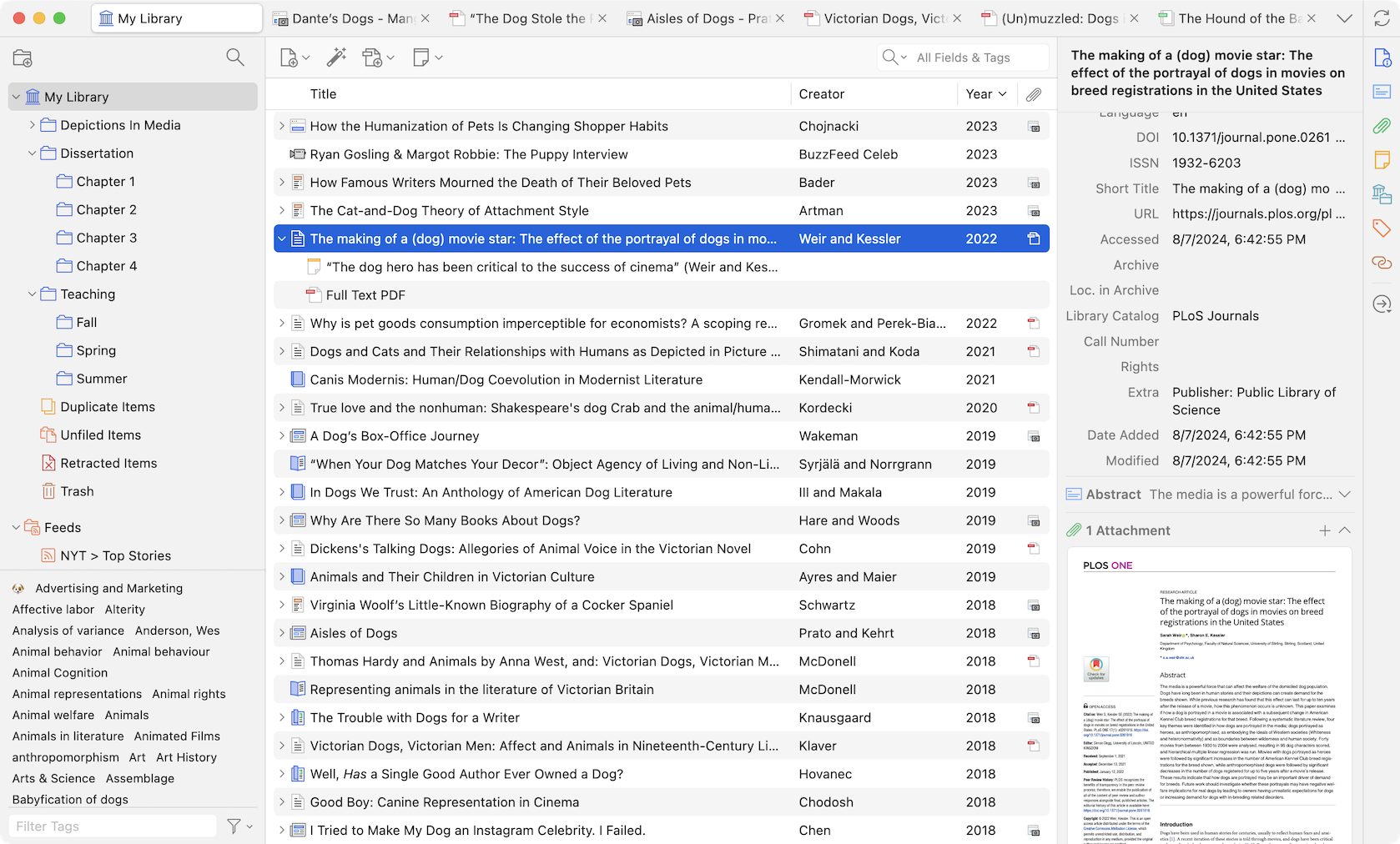
The header of the item pane has also undergone a significant transformation, becoming customizable. Users can now select which key pieces of information are displayed, including the title, title and author, title/author/date, or even a fully formatted bibliography entry based on their chosen citation style. This header remains persistently visible even when the main "Info" section is collapsed, ensuring that essential metadata, such as the item’s title, is always accessible, even during extensive metadata editing or when the information panel is deliberately kept closed.
Introducing Dark Mode and Density Options
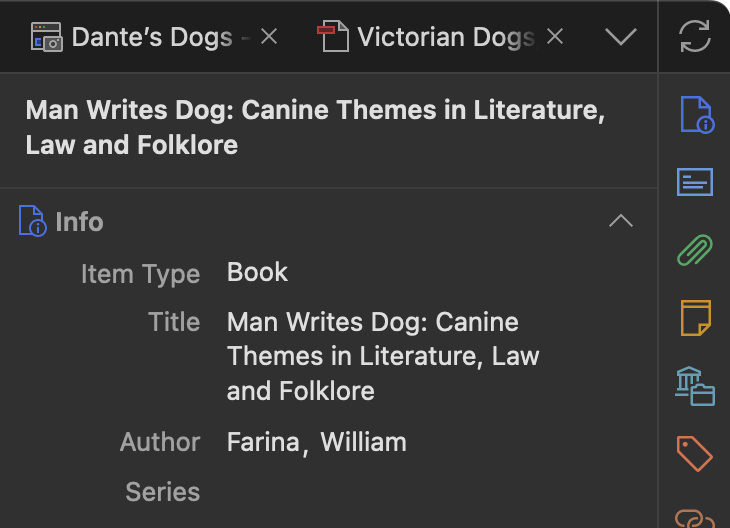
Responding to a persistent user request, Zotero 7 introduces a sophisticated dark mode. The development team emphasized that this feature was not an afterthought but was integrated into the core design process from the outset, ensuring a visually comfortable experience for users who prefer darker interfaces. The dark mode extends across the entire application, from the library view to the item pane and reader. Zotero 7 also brings basic dark mode support to its integrated PDF and EPUB reader, with plans for more advanced rendering capabilities in future updates. Users retain the flexibility to disable dark mode specifically for document content through the reader’s view menu, allowing for a return to original display states when necessary.
Complementing the visual overhaul are two new density options for the user interface: "Compact" and "Comfortable." The "Compact" setting closely mirrors the density of previous Zotero versions, catering to users accustomed to that layout. The "Comfortable" option, now the default, offers a more spacious and approachable interface, particularly beneficial for users with extensive libraries or those who simply prefer a less cluttered visual presentation. This thoughtful addition aims to enhance user comfort and reduce eye strain during prolonged research sessions.
The visual refresh is further solidified by a new, modern application icon, designed to reflect the updated aesthetic of Zotero 7.
Performance Enhancements and Native Platform Support
Beyond the visual improvements, Zotero 7 boasts significant performance gains. The application is reported to be dramatically faster across various operations. A key aspect of this performance boost is the introduction of native support for Apple Silicon Macs, 64-bit Windows systems, and Windows on ARM. This native integration ensures that Zotero 7 runs with optimal efficiency on the latest hardware architectures, providing a smoother and more responsive experience for users leveraging these platforms.
The Zotero Reader Evolves: EPUB and Snapshot Support
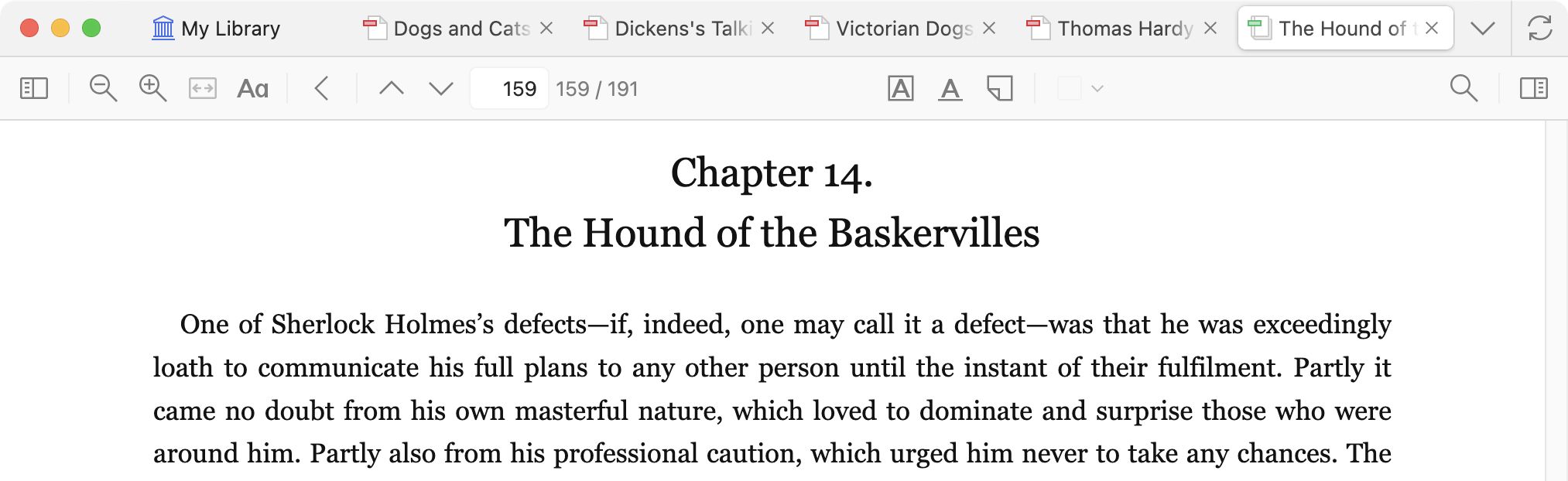
The built-in Zotero reader has undergone a substantial upgrade, evolving beyond its primary function as a PDF viewer. Zotero 7 now includes robust support for EPUB (Electronic Publication) files, the most prevalent ebook format. This integration means researchers can now open, read, and annotate EPUBs directly within Zotero, mirroring the functionality previously available for PDFs.
EPUBs offer a more adaptable reading experience compared to PDFs, with text that can reflow to fit various screen sizes and customizable font and text adjustments. Zotero 7 allows users to annotate EPUBs, and these annotations can be seamlessly added to Zotero notes, enriching the research workflow. Furthermore, Zotero can now automatically retrieve metadata for most EPUB files, simplifying the process of creating parent items for these digital books. While automatic downloading of EPUBs from websites is not yet implemented, the Zotero team plans to enhance site translators to support EPUB downloads in the future, allowing users to specify their preferred format (PDF or EPUB) when both are available. User feedback on desired EPUB site support is actively being sought on the Zotero Forums.
In addition to EPUBs, Zotero 7’s reader now also handles webpage snapshots with enhanced functionality. Previously saved snapshots of news articles and other web content will now open directly within the new reader, enabling users to annotate webpages with the same ease as they would PDFs.
New Annotation Capabilities and Interactive Citations
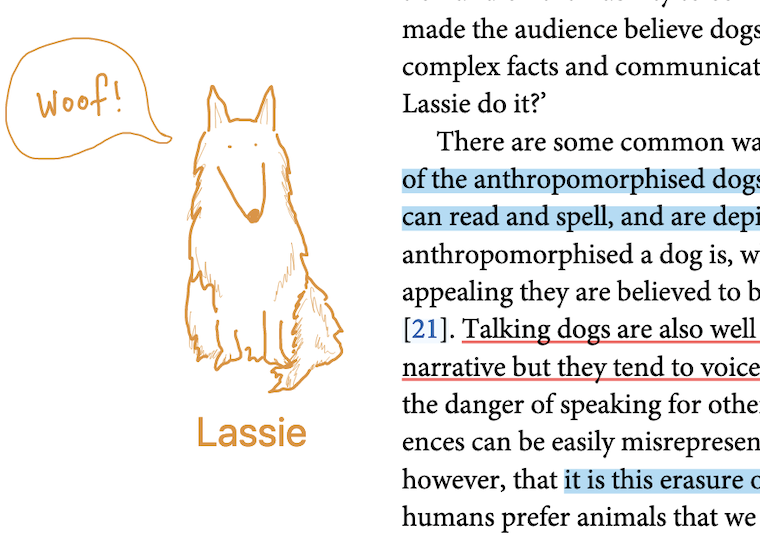
The annotation features within Zotero 7 have been expanded with the introduction of support for ink, underline, and text annotations. Ink annotations, previously available only on iOS, can now be created directly within the desktop application, particularly beneficial for users with touchscreen devices or styluses. Underline annotations function similarly to highlights, offering another method for marking key passages. Text annotations allow users to directly insert typed text onto the document page. While underline annotations are supported across PDFs, EPUBs, and snapshots, ink and text annotations are currently exclusive to PDF documents.
A notable enhancement to the reader experience is the introduction of interactive citation and link previews. When a user hovers over a citation or an internal link within a document, a popup now appears, displaying the associated reference or figure. This feature eliminates the need to navigate away from the document to verify references or locate figures, significantly streamlining the research review process.
Smarter Citing and Enhanced Collection Management
The process of citing sources within documents has been made faster and more intuitive in Zotero 7. The citation dialog now intelligently suggests items that are currently selected in the Zotero library or are open in the reader. This means that citing a document currently being viewed can be as simple as clicking "Add/Edit Citation" and pressing Enter.
Searching for and navigating through research collections has also been improved. A new "Collection Search" feature allows users to quickly locate desired collections within any of their libraries without needing to use the mouse. This keyboard-centric approach is designed to maintain focus and efficiency for users who prefer keyboard shortcuts. The system provides up and down arrow key navigation for results and an Escape key to clear the search.
Further enhancing navigation, Zotero 7 introduces a vertical list of all open tabs, which can be filtered by typing. This makes it easy to quickly jump to a specific tab, and users can also close or reorder tabs directly from this menu.
Streamlined Workflows and Customization
Zotero 7 introduces attachment previews, allowing users to see thumbnail previews of PDFs, EPUBs, snapshots, and images directly within the item pane without needing to open the full reader application. This provides a quick visual overview of attached files.
In terms of data management, deleted collections and searches are now moved to a "Trash" folder, mirroring the behavior for individual items. This "soft delete" functionality means that accidental deletions of entire collections can be easily rectified by restoring them from the trash, preserving all associated items and subcollections.
A new section within the item pane displays all the collections and libraries a specific item is currently located in. This provides greater clarity on an item’s organizational context, although the existing functionality of holding a modifier key to highlight an item’s collections remains available.
File renaming has also become more flexible. While Zotero has always offered automatic file renaming, Zotero 7 expands this capability with a wider array of customizable options. Users can now define complex rules to ensure that filenames consistently include all necessary information, enhancing organization and consistency across research files.
Commitment to Accessibility and Plugin Ecosystem
Significant efforts have been made to improve Zotero’s accessibility in version 7. The development team has invested heavily in making the application more user-friendly for individuals relying on screen readers and has enhanced keyboard navigation throughout the software. While ongoing improvements are planned, this represents a substantial step forward in making Zotero more inclusive.

The robust plugin ecosystem that enhances Zotero’s functionality has also been addressed with an improved plugin architecture. Zotero 7 introduces features like restartless loading and unloading of plugins and built-in support for common integration points. This aims to simplify plugin development, enhance stability across Zotero updates, and provide a more seamless experience for users who rely on extensions for advanced BibTeX support, knowledge management, translation, AI integration, and more. It is important to note that all existing plugins will require updates to be compatible with Zotero 7.
Availability and Upgrade Path
Zotero 7 is now available for download. Existing users can upgrade through the application’s built-in update mechanism by navigating to Help > Check for Updates. For Windows users, installing the dedicated 64-bit version is recommended for optimal performance. Users upgrading from Zotero 6 on Apple Silicon Macs may initially run Zotero 7 under Rosetta emulation; restarting the application after the update is advised to enable native performance. New users can download Zotero 7 directly from the Zotero website.
The release of Zotero 7 signifies a major evolution for the platform, underscoring its commitment to providing researchers with cutting-edge tools to manage and synthesize their scholarly endeavors. The comprehensive redesign, performance enhancements, and expanded functionality position Zotero 7 as a pivotal release for the academic community.