Zotero 7 Ushers in a New Era for Reference Management with Major Design and Functional Overhaul

Zotero, the widely adopted open-source reference management software, has unveiled Zotero 7, its most significant update in its 18-year history. This release marks a substantial leap forward in design aesthetics, operational performance, and core functionality, aiming to provide users with a more intuitive, efficient, and powerful research experience. The update, released on Friday, August 9th, 2024, introduces a comprehensive redesign, enhanced reader capabilities, smarter citation tools, and a more robust plugin architecture, solidifying Zotero’s position as a leading tool for academics, researchers, and students worldwide.
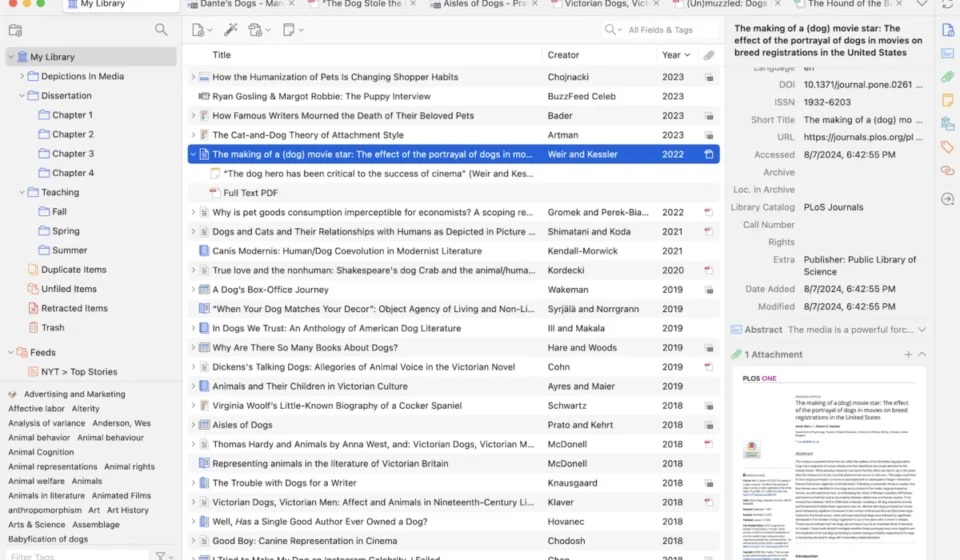
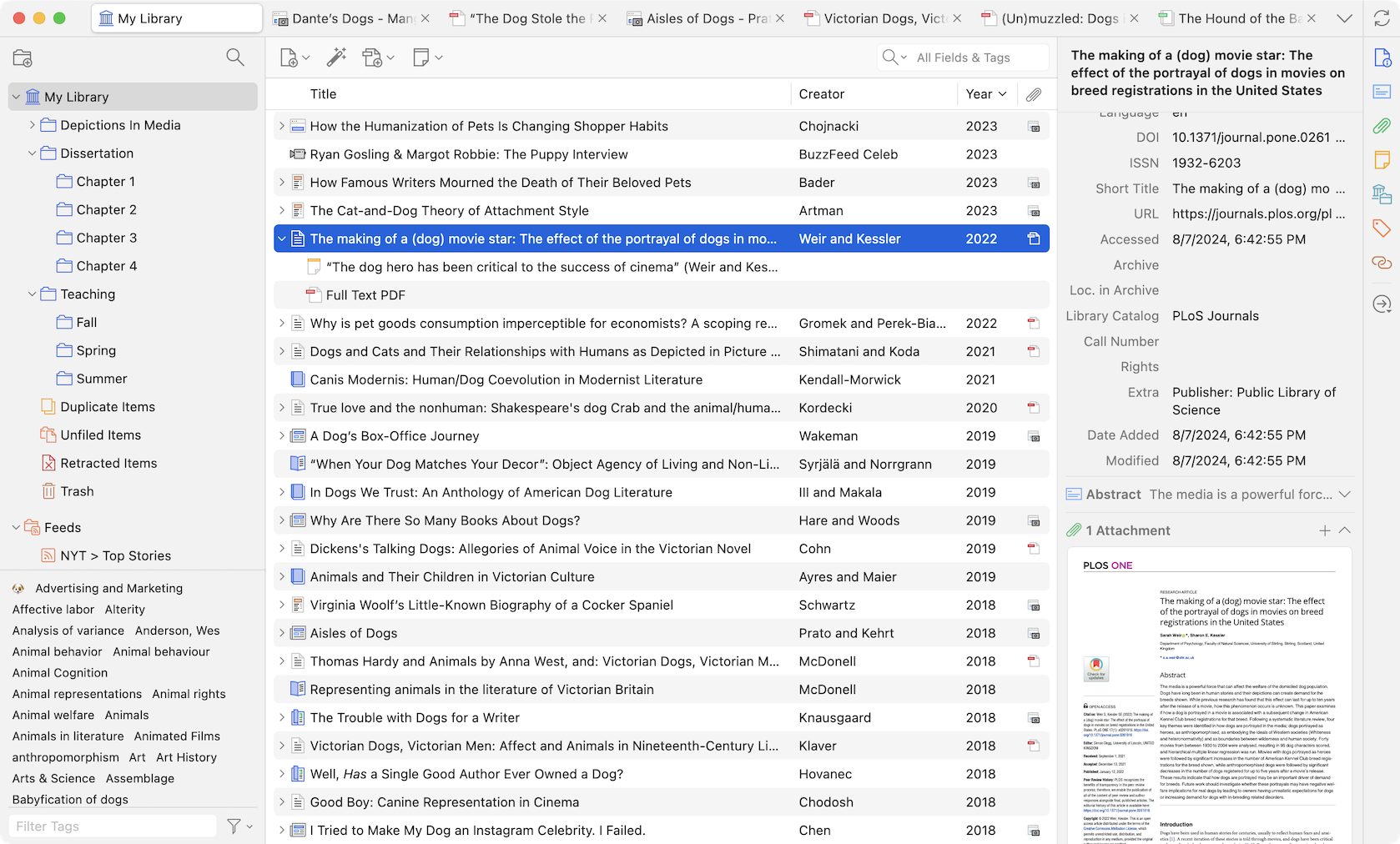
A significant focus of Zotero 7 is its revitalized user interface. The development team has implemented a modern, clean design that retains familiarity for long-time users while presenting a more approachable gateway for newcomers. This redesign extends to the core item pane, which has undergone a fundamental reimagining. Gone are the horizontal tabs; in their place, users will find collapsible vertical sections complemented by a side navigation bar. This shift allows for the display of more information directly within the item pane without sacrificing usability. Furthermore, this new structure facilitates easier integration for plugins, enabling developers to create dedicated sections for custom information and actions.
The header of the item pane has also been enhanced with customization options. Users can now select what crucial information—such as the title, title/author/date, or even a formatted bibliography entry based on a chosen citation style—is displayed at the top. This header remains visible even when the "Info" section is collapsed, allowing users to keep their metadata editing area closed while still having immediate access to essential bibliographic details.
Complementing the visual overhaul, Zotero 7 introduces a highly anticipated dark mode. This feature, designed with meticulous attention to detail, has been integrated across every facet of the new interface. The development team emphasized that the entire redesign was conceptualized with dark mode in mind, ensuring a cohesive and aesthetically pleasing experience regardless of the chosen theme. Basic dark mode support has also been extended to the Zotero reader for PDF and EPUB content, with more advanced rendering options promised for future iterations. Users retain the ability to disable dark mode for content viewing if necessary, preserving the original document appearance.
Recognizing the diverse preferences of its user base, Zotero 7 now offers two density options for its user interface: "Compact" and "Comfortable." The "Compact" setting closely mirrors the density of previous Zotero versions, catering to users accustomed to a more information-dense layout. Conversely, the "Comfortable" option, which serves as the new default, provides increased spacing and a more open feel, designed to enhance usability for individuals with smaller libraries or those who simply prefer a less cluttered visual environment. This thoughtful addition reflects Zotero’s commitment to accommodating a wide spectrum of user needs and ergonomic preferences.
The visual transformation is further cemented by a new, distinct app icon, designed to be both modern and recognizable, completing the refreshed aesthetic of the Zotero suite.
Beyond its visual enhancements, Zotero 7 delivers substantial improvements in performance. The software now boasts dramatically faster operation across the board. Crucially, Zotero 7 introduces native support for Apple Silicon Macs, 64-bit Windows operating systems, and Windows on ARM. This optimization ensures that Zotero runs with peak efficiency on the latest hardware, significantly reducing load times and enhancing overall responsiveness for users on these platforms. The transition to 64-bit architecture, in particular, opens the door for handling larger datasets and more complex operations with greater ease.

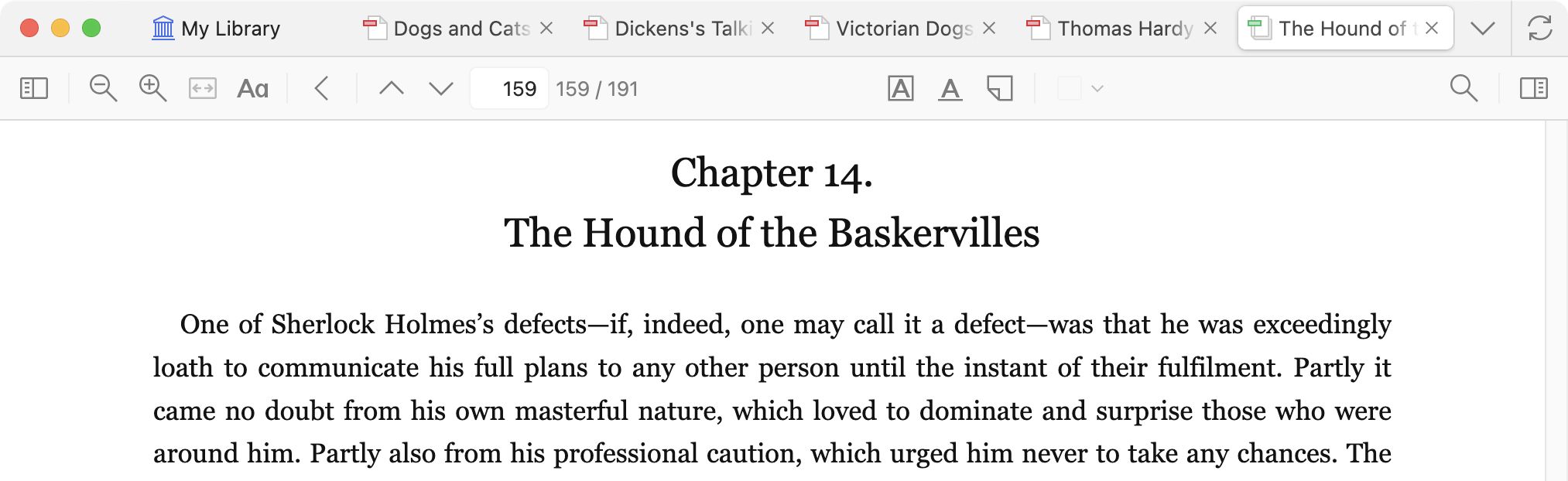
A major functional upgrade lies within the Zotero reader, which has evolved from a PDF-centric tool to a comprehensive document viewer. The next major version of the built-in reader now seamlessly supports EPUB files, the most prevalent ebook format. This addition is particularly significant as EPUBs offer a more dynamic reading experience compared to PDFs, allowing for reflowable text and adjustable font sizes and styles, which can be tailored to individual preferences and screen dimensions.
Users can now open EPUBs directly within Zotero’s reader, annotate them, and incorporate these annotations into their Zotero notes, mirroring the existing functionality for PDFs. Zotero 7 also introduces the capability to automatically retrieve metadata for most EPUB files, streamlining the process of creating parent items. While automatic EPUB downloading from websites is not yet implemented, Zotero plans to enable users to specify their preferred save format (PDF or EPUB) when both are available, and to update site translators to support EPUB extraction in the future. The Zotero Forums have been designated as a channel for users to request support for specific sites offering EPUBs.
Webpage snapshots, a feature that allows Zotero to capture static versions of web content, are also now integrated with the enhanced reader. This means users can annotate captured webpages with the same ease as they can annotate PDFs and EPUBs, further consolidating research materials within the Zotero ecosystem.
The reader also introduces new annotation types. Ink annotations, previously exclusive to Zotero’s iOS application, are now available on the desktop, facilitating direct drawing and annotation, particularly beneficial for users with touchscreen devices or styluses. Underline annotations function similarly to highlights, offering a distinct method for marking important text. Text annotations allow users to directly insert typed text onto the page. While underline annotations are supported across PDFs, EPUBs, and snapshots, ink and text annotations are currently limited to PDF files. A notable enhancement in the reader is the ability to hover over citations or internal links, which now triggers a popup displaying the associated reference or figure, eliminating the need to navigate away to verify information.
The citation process within Zotero 7 has been significantly refined to be faster and more intuitive. The citation dialog now intelligently suggests items that are currently selected in the item list or open within the reader. This means citing a source that is actively being viewed or selected is as simple as initiating the "Add/Edit Citation" command and confirming the suggestion, often with a single key press. This streamlined workflow is expected to save researchers considerable time during the writing and referencing phases of their work.
Organization and navigation have also seen notable improvements. The new "Collection Search" feature allows users to quickly locate any collection within their Zotero libraries using keyword searches, facilitating rapid navigation without diverting focus from the keyboard. The search interface provides clear up/down arrow navigation through results and an escape key to clear the search.
A new tab management system provides a vertical list of all open tabs, enabling users to filter and jump to specific tabs quickly. This system also offers convenient options for closing or reordering tabs directly from the menu, enhancing workflow efficiency when managing multiple documents and resources.
Attachment previews are another welcome addition, allowing users to view previews of PDFs, EPUBs, snapshots, and images directly within the item pane without needing to launch the full reader. This feature provides a quick visual confirmation of document content, saving valuable time and reducing unnecessary application launches.
In terms of data management, Zotero 7 brings deleted collections and searches to the trash, mirroring the behavior of deleted items. This ensures that accidental deletions can be easily rectified by restoring from the trash, preserving the integrity of the user’s research organization.
A new "Libraries and Collections" section within the item pane now clearly displays all the collections and libraries to which a currently selected item belongs. This provides a comprehensive overview of an item’s organizational context, although the existing modifier-key shortcut for highlighting collections remains available.
File renaming, a crucial aspect of research organization, has become more flexible with Zotero 7. While Zotero has always offered automatic file renaming, the latest version introduces a significantly wider array of customization options. Users can now define complex rules to ensure that filenames consistently contain all necessary information, promoting standardized and easily identifiable file naming conventions.
Accessibility has been a significant area of development for Zotero 7. The team has invested considerable effort in enhancing Zotero’s usability for screen reader users and improving overall keyboard navigation throughout the application. These improvements represent a substantial step towards making Zotero more inclusive for a broader range of users, with further accessibility enhancements planned for future updates.
The plugin architecture has also received a substantial upgrade, designed to foster a more robust and dynamic ecosystem of third-party extensions. Zotero 7 introduces a new architecture that supports restartless loading and unloading of plugins, alongside built-in integration points for common Zotero functionalities such as item-list columns, item-pane sections, and settings panes. This makes it easier for developers to create and maintain plugins, ensuring greater stability and compatibility across Zotero updates. Developers are actively working with plugin creators to introduce additional integration points, promising an even richer and more customizable Zotero experience. It is important for users to note that all existing plugins will require updates to be compatible with Zotero 7.
The release of Zotero 7 represents the culmination of years of development and user feedback, reflecting Zotero’s ongoing commitment to providing a free and open-source platform for managing research. The comprehensive nature of this update, spanning design, performance, and functionality, underscores the project’s dedication to empowering researchers with cutting-edge tools.
Existing Zotero users can upgrade to Zotero 7 by navigating to "Help" -> "Check for Updates" within the application. For Windows users, a dedicated 64-bit version is recommended for optimal performance, and can be installed directly over existing installations without data loss. Apple Silicon Mac users who upgrade in-app from Zotero 6 may initially run Zotero 7 under Rosetta emulation; restarting the application after the update is advised to enable native performance. New users can download Zotero 7 directly from the official Zotero website. The Zotero 7 changelog, available on the Zotero support website, provides a comprehensive list of all enhancements and bug fixes included in this landmark release.