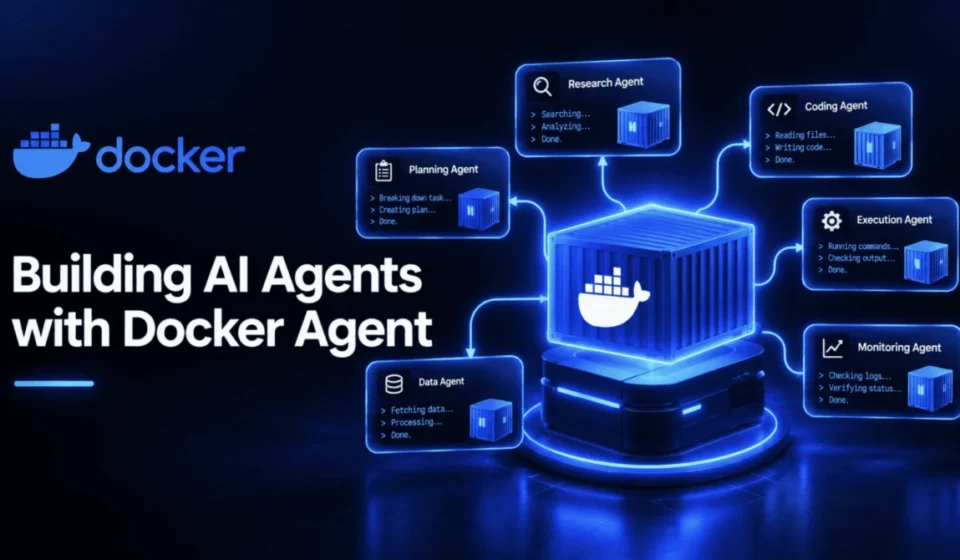
Docker Agent: Revolutionizing AI Agent Development with Containerization Principles

Docker Agent, a new open-source command-line interface (CLI) plugin from Docker Engineering, is poised to transform how artificial intelligence (AI) agents are developed, deployed, and managed. Drawing a direct parallel to Docker’s foundational "build once, run anywhere" philosophy, Docker Agent introduces a declarative, configuration-driven approach to AI agent creation, enabling them to be versioned, distributed, and run akin to software containers. This innovation addresses a significant gap in the AI development landscape, offering a streamlined and standardized method for creating and sharing complex multi-agent systems. The project, licensed under the Apache 2.0 license, has rapidly gained traction, evidenced by over 3,300 GitHub stars and nearly 10,000 commits since its early tagged releases in March 2026.
The genesis of Docker Agent is rooted in Docker’s strategic push into the AI space throughout 2025. A pivotal announcement in July 2025 expanded Docker Compose to natively support AI agents and models, alongside the introduction of Docker Model Runner for local model execution without requiring cloud API keys. Docker Agent represents the culmination of this groundwork, consolidating these advancements into a dedicated, powerful tool rather than an incidental feature. Its core innovation lies in abstracting agent definition away from complex coding, allowing developers to describe agents using declarative YAML (or HCL) configurations. This significantly lowers the barrier to entry, making AI agent development accessible to individuals without a traditional software engineering background.
Furthermore, Docker Agent boasts remarkable provider agnosticism. It seamlessly integrates with a wide array of leading AI models, including those from OpenAI, Anthropic, Gemini, AWS Bedrock, Mistral, and xAI, as well as fully local models facilitated by Docker Model Runner. This flexibility ensures that agent configurations are not tethered to a single vendor, promoting interoperability and adaptability. The tool’s robust support for genuine multi-agent orchestration allows for the creation of sophisticated teams of specialized agents that can delegate tasks and collaborate effectively. The integrated tool ecosystem, which includes built-in utilities and support for any Model Context Protocol (MCP) server, further enhances agent capabilities. Crucially, finished agents can be distributed through any OCI-compatible registry, mirroring the established distribution mechanism for Docker container images, thus enabling effortless sharing and deployment.
Prerequisites and Installation: A Seamless Entry Point
To embark on the journey of building AI agents with Docker Agent, users will need three fundamental components: a functional Docker installation on their machine, a mechanism for executing the agent, and access to at least one language model. The installation process has been designed for maximum convenience, offering multiple straightforward paths.
For users already leveraging Docker Desktop version 4.63 or newer, the Docker Agent plugin is pre-installed. Activation is as simple as running the docker agent command. This integrated approach ensures that a significant portion of the Docker user base can begin experimenting with AI agents immediately.
Alternatively, users can opt for installation via Homebrew. Executing brew install docker-agent directly installs the binary. This can be run as docker-agent, or for a more integrated experience, symlinking the binary to ~/.docker/cli-plugins/docker-agent allows it to be invoked using the docker agent command format, aligning with the established Docker CLI pattern.
For those preferring a direct binary download, the latest releases are readily available on GitHub Releases. Similar to the Homebrew installation, downloading the binary and symlinking it to the appropriate directory (~/.docker/cli-plugins/docker-agent) enables the unified docker agent command.
The next critical step involves setting up access to a language model. Docker Agent provides two primary options for this. The most straightforward method involves configuring a cloud provider’s API key. This is typically achieved by setting the relevant API key as an environment variable, such as:
export ANTHROPIC_API_KEY=sk-ant-your-key-here
# or OPENAI_API_KEY, GOOGLE_API_KEY, depending on your provider
For users seeking to avoid cloud dependencies or seeking greater control over their AI model execution, the alternative is to run a model locally via Docker Model Runner. This option is noted as a viable substitute throughout the tutorial wherever a model specification is required. To confirm that the installation and configuration have been successful, users can execute the following command:
docker agent --helpA successful execution will display a comprehensive list of available commands, indicating that Docker Agent is ready for use and prepared for the creation of the first AI agent.
Crafting Your First AI Agent: A Declarative Foundation
The foundational element of Docker Agent’s capability lies in its ability to define agents through simple YAML files. The simplest functional agent can be constructed with a single YAML configuration. Consider the following agent.yaml file:
agents:
  root:
    model: anthropic/claude-sonnet-4-5
    description: A helpful coding assistant
    instruction: |
      You are an expert software developer. Help users write
      clean, efficient code. Explain your reasoning step by step.
    toolsets:
      - type: filesystem
      - type: shell
      - type: think
Code Explanation: This configuration defines a single agent named root. It specifies the anthropic/claude-sonnet-4-5 model for its operations. The description provides a concise overview of the agent’s purpose, while the instruction field outlines its persona and operational guidelines. Crucially, the toolsets array enumerates the capabilities available to the agent: filesystem for interacting with the local file system, shell for executing commands, and think for internal reasoning processes. This declarative approach abstracts away the underlying code required to implement these functionalities.
Once this agent.yaml file is created, the agent can be launched using the interactive terminal UI:
docker agent run agent.yamlThis command initiates an interactive session where users can converse with their AI agent. For scenarios requiring non-interactive execution, such as within scripts or continuous integration pipelines, a single task can be executed with the --exec flag:
docker agent run --exec agent.yaml "Create a Dockerfile for a Node.js app"Code Explanation: The --exec flag allows for the execution of a specific task without entering the interactive terminal. The provided string "Create a Dockerfile for a Node.js app" serves as the prompt for the agent. The agent will process this request, utilize its defined tools, and return the output directly to the command line, after which the agent process will terminate. This is particularly useful for automating repetitive tasks or integrating AI capabilities into existing workflows.
Empowering Agents with Real-World Tools: The MCP Integration
While basic file system and shell access provide fundamental utility, truly capable AI agents often require the ability to interact with external systems and data sources. Docker Agent’s integration with the Model Context Protocol (MCP) addresses this need, offering a standardized and secure method for extending agent functionality. The recommended pattern for leveraging MCP involves running MCP servers within isolated Docker containers. This approach ensures that external tools operate in a sandboxed environment, mitigating potential security risks and conflicts with the host system.
Consider an agent configured to perform web research and maintain memory of its findings:
agents:
  root:
    model: anthropic/claude-sonnet-4-5
    description: Research assistant with memory and web search
    instruction: |
      You are a research assistant. Search the web for information,
      remember important findings, and provide thorough analysis.
    toolsets:
      - type: think
      - type: memory
        path: ./research.db
      - type: mcp
        ref: docker:duckduckgo
Code Explanation: This configuration expands upon the basic agent by introducing two new toolsets. The memory toolset, configured with a path to ./research.db, enables the agent to store and retrieve information persistently. The mcp toolset, with a reference docker:duckduckgo, indicates that the agent will utilize an external service for web searches, likely a DuckDuckGo search tool running within a Docker container. This configuration allows the agent to not only access information but also to retain context and learn from past interactions, significantly enhancing its research capabilities.
Orchestrating Collaborative Intelligence: Building Multi-Agent Teams
The true power of Docker Agent is unleashed when orchestrating teams of specialized agents. Instead of a single, monolithic agent attempting to handle all tasks, users can define small, collaborative teams where each member possesses a specific role. A coordinator agent then manages delegation and workflow between these specialized units.
A compelling example of this is a content research team, comprising a coordinator, a researcher, and a writer. The coordinator receives a topic, delegates the research to the researcher agent, and subsequently passes the gathered findings to the writer agent for report generation.
agents:
  root:
    model: anthropic/claude-sonnet-4-5
    description: Coordinator for a content research team
    instruction: |
      You are a content lead coordinating a small research team.
      When given a topic, delegate web research to the researcher,
      then pass the findings to the writer to produce a short,
      well-organized report. Review the final output before
      presenting it to the user.
    sub_agents: [researcher, writer]
    toolsets:
      - type: think

  researcher:
    model: openai/gpt-5
    description: Web researcher who gathers and summarizes findings
    instruction: |
      Search the web for current, credible information on the
      given topic. Summarize the key findings in a structured list,
      noting the source for each claim.
    toolsets:
      - type: mcp
        ref: docker:duckduckgo
      - type: memory
        path: ./research.db

  writer:
    model: anthropic/claude-sonnet-4-5
    description: Turns research findings into a clear, organized report
    instruction: |
      Take the research findings you're given and write a short,
      well-structured report a general reader could follow, with
      clear section headings and no unexplained jargon.
    toolsets:
      - type: filesystem
Code Explanation: This configuration illustrates a multi-agent system. The root agent acts as the coordinator. Its instruction clearly defines its role in delegating tasks to researcher and writer. The sub_agents field explicitly lists the agents it can orchestrate. The researcher agent, powered by openai/gpt-5, is equipped with web search (docker:duckduckgo) and memory capabilities to gather and summarize information. The writer agent, using anthropic/claude-sonnet-4-5, is responsible for transforming these findings into a coherent report, utilizing the filesystem tool for output.
A significant feature highlighted here is the ability to leverage different AI models for distinct roles. The coordinator and writer utilize Claude, while the researcher employs GPT-5. This intentional heterogeneity allows users to select the most performant model for each specific task within the team, optimizing overall efficiency and output quality. This flexibility is a core design principle of Docker Agent, moving beyond the constraint of a single model for all operations.
Validation and Execution: Ensuring Robustness and Automation
Before deploying any AI agent configuration, ensuring its structural integrity is paramount. Docker Agent provides a robust schema validation mechanism, allowing users to confirm that their configurations are well-formed and adhere to the project’s defined standards. This validation process is built directly against the schema published within the project’s repository, offering a verifiable check rather than an assumption.
A Python script demonstrating this validation process, using yaml for parsing and jsonschema for validation, is provided:
import yaml, json, jsonschema

with open("agent-schema.json") as f:
    SCHEMA = json.load(f)

def validate(yaml_text: str, label: str):
    config = yaml.safe_load(yaml_text)
    try:
        jsonschema.validate(instance=config, schema=SCHEMA)
        print(f"[label] VALID against agent-schema.json")
    except jsonschema.ValidationError as e:
        print(f"[label] SCHEMA VALIDATION ERROR: e.message")
Code Explanation: This Python function validate takes YAML text and a label as input. It parses the YAML into a Python dictionary and then uses the jsonschema.validate function to check it against the loaded SCHEMA. If the configuration is valid, it prints a success message; otherwise, it reports a detailed schema validation error. This script can be used to programmatically verify the correctness of agent configurations.
To demonstrate the effectiveness of this validator, it was tested against a deliberately malformed configuration containing a non-existent toolset type (not_a_real_toolset_type). The validator correctly identified the error, pinpointing the exact location of the problem within the configuration. All previously presented, well-formed configurations successfully passed this validation check, underscoring the reliability of the schema.
With a validated configuration, Docker Agent offers multiple execution methods. The interactive terminal UI, previously demonstrated, serves as the default for conversational interactions. For automated workflows, the docker agent run --exec agent.yaml "your task" command is ideal, executing a single task and exiting. The --yolo flag provides an option for fully unattended runs by automatically approving all tool calls. While useful for automation, its use should be deliberate, as it bypasses the human confirmation step. For users who prefer a guided learning experience, the docker agent getting-started command launches an interactive, scripted tour within the chat interface.
Packaging and Distribution: The OCI Ecosystem for Agents
A key innovation of Docker Agent is its seamless integration with the Open Container Initiative (OCI) registry ecosystem. Once an AI agent or a multi-agent team is functioning as intended, it can be packaged and distributed using the same infrastructure that powers container images. This means finished agents can be pushed to any OCI-compatible registry and pulled down on any machine where Docker Agent is installed, eliminating the need for local YAML files on the receiving end.
The command to run a distributed agent is straightforward:
docker agent run myorg/agent:tagThis allows for effortless sharing and deployment of complex AI systems. Furthermore, agents can reference each other across registries, enabling the creation of hybrid teams that combine locally defined agents with shared, externally maintained components.
agents:
  root:
    model: openai/gpt-5
    description: Coordinator that delegates to a shared, pinned research agent
    instruction: |
      Delegate research tasks to the shared researcher agent.
    sub_agents:
      - reviewer:docker.io/myorg/review-agent@sha256:44117e73263afa5c861bdf3730dae7925918ffdd146827eee5bcff20bc55e8fa
Code Explanation: This configuration demonstrates referencing an external agent. Using a plain tag like myorg/agent:latest would cause Docker Agent to re-resolve the tag against the registry on each run, potentially introducing latency and creating a point of failure. Pinning to an immutable digest, as shown with the @sha256:... string, ensures that the agent is served directly from the local cache without network round-trips. This approach guarantees fast startup times and, more critically, ensures the reproducibility of the team’s behavior, as a digest is immutable and will always point to the same agent version. This configuration also passed schema validation, confirming the correctness of the external referencing syntax.
Conclusion: A Paradigm Shift in AI Agent Development
Docker Agent represents a significant advancement in the field of AI agent development, not by introducing novel prompting techniques, but by fundamentally redefining how agents are conceptualized, built, and deployed. The core contribution lies in treating an agent’s definition—its underlying model, its instructions, its tools, and its team members—as a portable, versionable artifact. This artifact can be integrated into standard software development workflows, including version control systems, automated validation pipelines, and existing registry infrastructures.
The implications of this approach are far-reaching. It democratizes AI agent development by lowering technical barriers, fosters collaboration through standardized distribution, and enhances the reliability and reproducibility of complex AI systems. The ability to define, version, and share AI agents with the same ease as container images marks a pivotal moment, ushering in an era of more accessible, scalable, and robust AI development.
The recommended path forward is to begin with single-agent configurations, validate their functionality, and then incrementally grow these into sophisticated multi-agent teams. By systematically delegating roles and validating each step against the project’s real schema, developers can ensure the integrity and effectiveness of their AI creations, paving the way for more powerful and adaptable AI solutions.
Shittu Olumide, a software engineer and technical writer, is the author of this article. His passion lies in leveraging cutting-edge technologies to craft compelling narratives and simplify complex concepts. Olumide can be found on LinkedIn and Twitter.